-
Vulnerability Scans and a Single Device Scope: Examining an System Security Plan Example
Your System Security Plan needs to tell your compliance story. We often encounter small micro-businesses who may have just a few single laptops. These companies often rely on FedRAMP File Sharing services due to the lower start up costs. Yes, a GCCH environment may have lower costs over 2-3 years, but these contractors live RFP by RFP and do not have the CAPEX to budget three years out.
They also want to inherit as many controls as possible. Utilizing a FedRAMP authorized or equivalent File Share a small contractor has less of a compliance burden than maintaining a GCCH tenant.
Companies with one in scope user want to stay nimble and small. This means not adding a third party vulnerability tool. Yet sometimes assessors more familiar with larger environments may grow suspicious to this approach. They may not know applications on the device can get scanned. They probably do not have a handle on all the Microsoft Defender product lines or the features of Microsoft Entra.
You can not bemoan the ignorance (at least during an assessment) of a CCA. Instead assume your audience knows nothing. Use the System Security Plan to remove any need for an assessor to make an inference. Spell out all your components and how they get deployed.
We divide the SSP into two parts: a narrative front matter and a spreadsheet of 320 implementation statements at the objective level. For micro-businesses we encourage them to list all compliant procedures directly in the implementation statements. A single device contractor does not need 14 policies, 14 plans, and umpteen Standard Operating Procedures. Outside of key inventory documents all procedures can live directly in your System Security Plan
You need to beat assessors over the head with your design decisions and constantly remind them of why you have the depth and breadth in your controls to meet the NIST-SP-800-171 security controls. The assessor must walk way thinking yoru controls provide adaquete and sufficient coverage.
Use the SSP front matter to your advantage. Spell out the decisions you made. Let us look at a fictional company Asterion Systems
2.3 System EnvironmentAsterion Systems is a fully remote organization with no corporate office, corporate local-area network, on-premises server, cloud-hosted server, domain controller, network printer, or custom-developed application. The Asterion Systems Secure Enclave is intentionally limited to one company-owned and company-managed Microsoft Windows 11 Pro laptop and the cloud services that store, transmit, or protect CUI and ITAR-controlled technical data. The physical boundary is defined at the in-scope laptop and moves with that device when it is used at an approved remote work location.
The in-scope laptop is the only company endpoint authorized to access, process, temporarily store, or transmit CUI or ITAR data. It is Microsoft Entra joined, enrolled in Microsoft Intune, and hardened to a documented customized configuration baseline derived from the CIS Microsoft Windows 11 Level 2 Benchmark and the applicable Microsoft Implementation Guidelines. When the two sources prescribe different values for the same security setting, Asterion Systems adopts the more stringent setting unless a documented operational exception and risk acceptance have been approved. Baseline compliance is monitored through Intune, Defender, and retained configuration evidence.
Microsoft 365 Business Premium provides the organization’s commercial productivity tenant, Entra identity services, Intune endpoint management, and Defender for Office protections. The licensed security add-on provides Microsoft Defender for Endpoint Plan 2 for the managed laptop. Microsoft 365 Commercial, including OneDrive and SharePoint, is not authorized to store CUI or ITAR data under this architecture. Automatic saving and synchronization of CUI to OneDrive or SharePoint are disabled, and users are prohibited from placing CUI in unauthorized Microsoft 365 applications or locations.
The authorized FedRAMP High file-sharing service is the system of record for CUI and ITAR data and the approved channel for controlled external transfer. Provider-operated infrastructure, platform services, physical facilities, and provider patching are addressed through the provider’s FedRAMP authorization package and customer-responsibility documentation. Asterion Systems remains responsible for account approval, access configuration, endpoint security, data handling, monitoring, vulnerability review, remediation, and retention of evidence for the portions of the system it administers.
Government-Furnished Equipment (GFE) used by contractors connects only to Government systems and is not administered by Asterion Systems. GFE is not permitted to access Asterion Systems Microsoft 365 or the FedRAMP High file share. Contractor-owned BYOD devices are limited to approved FCI-only activity in Microsoft 365 Commercial and are prohibited from accessing, downloading, processing, or storing CUI. No CUI printing or network printing is authorized.
2.4 System Overview
The Secure Enclave uses a narrow endpoint-and-cloud architecture. Security services that protect the endpoint or identity plane are treated as security protection assets within the assessment scope to the extent that their correct operation affects CUI confidentiality.
2.4.1 Architecture and Boundary
The one hardened laptop is the sole company-controlled CUI asset. The FedRAMP High file share is the authorized CUI repository and transfer service. Entra, Intune, Microsoft Defender, Defender for Office, and Huntress provide identity, configuration, endpoint protection, monitoring, and response functions. The home router and public Internet provide transport only and do not establish trusted boundary protections; the endpoint firewall, device configuration, identity controls, application controls, and encrypted application sessions protect the system regardless of the remote network used. GFE, BYOD, Government systems, Microsoft 365 Commercial storage, printers, removable media, and unauthorized applications remain outside the CUI enclave and may not receive CUI.
2.4.2 Identity Components and Multifactor Authentication
Microsoft Entra provides the cloud identity for the authorized user, device registration and join state, role assignment, sign-in logging, and Conditional Access enforcement. Asterion Systems assigns a unique daily-use identity and uses a separate privileged identity for administrative actions. Conditional Access requires MFA for interactive access to Microsoft cloud resources and restricts access based on the managed and compliant status of maintained, are separately protected and monitored. Access to the FedRAMP High file share also requires an individually assigned account and MFA through Entra federation or the provider’s approved MFA service. Access is limited to authorized U.S. persons when required for ITAR data. The user has two accounts for privileged access for Microsoft 365 and for administering the FedRAMP High file sharing service.
2.4.3 Endpoint Detection and Response
Microsoft Defender for Endpoint Plan 2 is onboarded to the managed Windows laptop and serves as the endpoint detection and response capability. Defender Antivirus operates in active mode with cloud-delivered protection, behavior monitoring, tamper protection, attack-surface-reduction controls, endpoint firewall enforcement, and EDR telemetry enabled according to the approved baseline. Alerts and incidents are reviewed through the Microsoft Defender portal and the integrated monitoring workflow. The organization investigates detections, isolates the device when warranted, documents response actions, and validates recovery before returning the laptop to normal CUI use..
2.4.3.1 Defender for Office
Microsoft Defender for Office protects the Microsoft 365 email and collaboration environment using the capabilities included in the purchased plan. Asterion Systems relies on including anti-phishing, anti-malware, Safe Links, and Safe Attachments policies as part of the endpoint protection plan. Defender for Office does not make Microsoft 365 Commercial an authorized CUI repository. CUI and ITAR files must remain in the FedRAMP High file share, and links or attachments that would copy CUI into Exchange, Teams, OneDrive, or SharePoint are prohibited.
2.4.5 Security Information and Event Management
Huntress Managed SIEM provides centralized security monitoring for the in-scope environment. The Huntress endpoint agent collects supported Windows security and operational telemetry from the laptop and transmits it to the Huntress cloud service using the vendor-approved encrypted connection. Microsoft 365 and security-product audit sources are connected where supported. The FedRAMP High file share is configured to provide authentication, administration, file-access, and transfer audit events to Huntress through the provider-supported integration shown in the system diagram. Huntress correlates events, identifies suspicious activity, generates alerts, and supports investigation. Asterion Systems reviews escalations, records decisions and actions, and retains incident and monitoring evidence according to policy.
2.4.6 Identity Threat Detection and Response
Huntress Managed ITDR monitors the Microsoft 365 and Entra identity environment for suspicious account activity and security-relevant configuration conditions. The integration uses an approved application identity with only the permissions required for the service and relies on Microsoft 365 audit logging. Huntress analyzes identity and tenant events, generates managed detections, and provides guided remediation when activity indicates account compromise, unauthorized privilege or configuration change, MFA weakness, or other identity risk. Asterion Systems validates each escalation, disables or contains affected identities when required, resets credentials and sessions, corrects configuration weaknesses, and documents closure. Huntress ITDR supplements but does not replace Entra access controls or Asterion Systems' account-management responsibilities.
2.4.7 Vulnerability Scanning and Management
Microsoft Defender Vulnerability Management capabilities included with Defender for Endpoint Plan 2 are used for the in-scope laptop. The onboarded Defender for Endpoint sensor continuously discovers the device’s installed software and evaluates known software vulnerabilities and security misconfigurations. The service provides device and software inventory, vulnerability and configuration assessment, risk-based prioritization, continuous monitoring, and remediation tracking. This endpoint architecture does not rely on server scanning, virtual-machine scanning, Defender for Servers, or an agentless cloud-server scanner.
Automation does not complete Asterion Systems' vulnerability-management responsibility. The designated administrator reviews Defender findings at least monthly and when Microsoft, CISA, a software vendor, the file-share provider, Huntress, or another authoritative source identifies a new vulnerability that may affect the system. Findings are dispositioned in a ticket or vulnerability register; remediation, mitigation, approved risk acceptance, and false-positive decisions are documented; and rescans or device evidence are used to validate closure. Reports, software inventories, recommendations, tickets, exceptions, and validation results are retained as assessment evidence. Under this defined one-endpoint architecture, a separate third-party vulnerability scanner is not required while the endpoint remains fully onboarded and licensed and this review process is performed.
Organization-Defined Vulnerability Management Parameters
Parameter Organization-Defined Value Periodic vulnerability scanning frequency Continuous assessment while the in-scope endpoint is online, with results reviewed and documented at least weekly. New-vulnerability trigger A newly published vulnerability, addition to the CISA Known Exploited Vulnerabilities Catalog, Microsoft or vendor advisory, Defender alert, Huntress notification, or other credible threat intelligence that may affect the system or an installed application. Known-exploited, actively exploited, or critical vulnerability remediation Within 72 hours after the organization determines that the vulnerability affects the in-scope endpoint or an installed application. High-risk vulnerability remediation Within 14 calendar days after the organization determines that the vulnerability is applicable. Moderate-risk vulnerability remediation Within 30 calendar days after the organization determines that the vulnerability is applicable. Low-risk vulnerability remediation Within 90 calendar days after the organization determines that the vulnerability is applicable. Failed sensor or interrupted assessment response Investigated within one business day after the interruption is identified. Remediation validation Successful remediation is confirmed using installation, version, update, or configuration evidence and updated Microsoft Defender Vulnerability Management results. 2.4.8 Patching and Update Management
Intune policies and Windows Update for Business controls manage Windows quality, feature, driver, and Microsoft product updates on the laptop. Update rings define deployment timing, deadlines, restart behavior, and reporting. Microsoft Edge and Microsoft 365 Apps use their approved managed update mechanisms; authorized third-party applications use vendor-supported update tools or are manually updated or removed when Defender identifies an exposure. Critical or actively exploited vulnerabilities are expedited according to the vulnerability-management and change-management procedures. The administrator reviews update compliance, investigates failed or pending installations, records exceptions, and confirms remediation in Defender or Intune.
Asterion Systems inherits the secure development, testing, publication, and distribution of Microsoft updates from Microsoft and the patching of provider-operated FedRAMP High file-share infrastructure from the file-share provider. These inherited functions do not transfer responsibility for configuring update policy, maintaining the laptop, approving operational exceptions, installing applicable third-party updates, or retaining evidence that the endpoint is current.
2.4.9 Encryption and Authorized CUI Data Flow
The laptop uses full-volume BitLocker encryption with TPM protection and recovery-key escrow under administrative control. CUI is downloaded only when required for an authorized business purpose and any local copy remains on the encrypted managed volume. CUI is not synchronized to OneDrive or SharePoint, copied to BYOD or GFE, stored on removable media, sent through ordinary email, or printed. The FedRAMP High provider encrypts CUI at rest within its authorized boundary and applies the provider’s approved key-management controls.
CUI and ITAR data move between the Prime CUI Portal, the hardened laptop, and the FedRAMP High file share only through authenticated HTTPS sessions using TLS 1.2 at minimum and TLS 1.3 when supported and negotiated by both endpoints. External release occurs only through the file share’s authenticated restricted-transfer workflow to an authorized recipient, including U.S.-person restrictions where required. Access controls, audit logging, expiration, revocation, and transfer records are enabled according to provider capability and Asterion Systems policy.
3.0 System Boundary Diagram
Then in your implementation statements explain how you enforce the systems described in your SSP front matter
3.11.2 — Vulnerability Scanning
Security requirement: Scan for vulnerabilities in organizational systems and applications periodically and when new vulnerabilities affecting those systems and applications are identified.
3.11.2[a] — Vulnerability Scanning Frequency Is Defined
Assessment objective: Determine if the frequency to scan for vulnerabilities in organizational systems and applications is defined.
Implementation statement: The organization defines vulnerability scanning as the continuous assessment performed by Microsoft Defender for Endpoint and Microsoft Defender Vulnerability Management while the in-scope Windows laptop is powered on, connected to the internet, and communicating with the Microsoft Defender service. Vulnerability and configuration assessment results are reviewed and documented by the designated Security Administrator at least weekly.
The defined vulnerability-scanning scope includes:
- The Windows operating system on the in-scope laptop.
- Microsoft and third-party applications installed on the laptop.
- Installed software versions and associated known vulnerabilities.
- Missing operating-system and application security updates.
- Unsupported or end-of-life software.
- Security configuration weaknesses affecting the endpoint.
- Microsoft Defender security recommendations applicable to the endpoint.
Event-driven vulnerability assessment is also required whenever a newly disclosed vulnerability may affect the Windows operating system, a system component, or an installed application. Triggering events include Microsoft or vendor security advisories, additions to the CISA Known Exploited Vulnerabilities Catalog, Microsoft Defender alerts, Huntress notifications, and other credible vulnerability or threat information.
The organization has no servers, network printers, custom-developed applications, or organization-managed network infrastructure within the CUI environment. Provider-owned infrastructure supporting Microsoft 365 GCC High and the FedRAMP High file-sharing service is scanned and maintained by the applicable cloud service provider. The organization verifies this inherited responsibility through applicable FedRAMP authorization documentation, customer responsibility matrices, service descriptions, contracts, and provider security communications.
3.11.2[b] — Organizational Systems Are Scanned at the Defined Frequency
Assessment objective: Determine if vulnerability scans are performed on organizational systems with the defined frequency.
Implementation statement: The in-scope Windows laptop is onboarded to Microsoft Defender for Endpoint and continuously assessed through Microsoft Defender Vulnerability Management. Defender collects operating-system, software, configuration, update, and exposure information whenever the laptop is online. Defender correlates this information with current Microsoft vulnerability and threat intelligence to identify known vulnerabilities, missing updates, and configuration weaknesses affecting the system.
At least weekly, the Security Administrator:
- Confirms that the in-scope laptop appears in the Microsoft Defender device inventory.
- Verifies that the laptop has recently communicated with the Defender service.
- Reviews the endpoint’s onboarding status and Defender sensor health.
- Reviews identified CVEs, exposed-device results, missing updates, security recommendations, and configuration weaknesses.
- Compares current findings with the results of the previous review.
- Creates or updates remediation tickets for actionable vulnerabilities.
- Confirms that open findings remain within the organization-defined remediation periods.
- Records the review date, reviewer, findings, applicability decisions, assigned actions, responsible person, and remediation due dates in the vulnerability management log.
If the laptop does not report current vulnerability information, the Security Administrator investigates the interruption within one business day. The Security Administrator documents the interruption, restores Defender sensor health or service connectivity, and confirms that vulnerability assessment results resume before closing the administrative ticket.
3.11.2[c] — Applications Are Scanned at the Defined Frequency
Assessment objective: Determine if vulnerability scans are performed on applications with the defined frequency.
Implementation statement: Microsoft Defender Vulnerability Management continuously inventories Microsoft and third-party applications installed on the in-scope laptop and evaluates installed application versions against known vulnerability information. Application assessment includes Microsoft 365 desktop applications, supported web browsers, document and PDF utilities, endpoint security software, file-sharing client components, and all other authorized software installed on the laptop.
During the weekly vulnerability review, the Security Administrator:
- Reviews the Microsoft Defender software inventory.
- Identifies applications associated with known CVEs or missing security updates.
- Identifies unsupported or end-of-life applications.
- Confirms that installed applications are authorized.
- Determines whether reported vulnerable application versions are installed on the endpoint.
- Opens remediation tickets for applicable findings.
- Updates, removes, disables, or replaces unauthorized, unsupported, unnecessary, or vulnerable software as appropriate.
- Documents the application vulnerability review in the vulnerability management log.
The organization does not develop or maintain custom applications. Provider-owned Microsoft 365 GCC High and FedRAMP High file-sharing applications are assessed by their respective cloud service providers. The organization remains responsible for locally installed clients, browsers, browser extensions, endpoint applications, and customer-controlled service configurations.
3.11.2[d] — Systems Are Scanned When New Vulnerabilities Are Identified
Assessment objective: Determine if vulnerability scans are performed on organizational systems when new vulnerabilities are identified.
Implementation statement: When a newly disclosed vulnerability may affect Windows or another system-level component, the Security Administrator performs an event-driven applicability assessment without waiting for the next weekly review.
The Security Administrator:
- Records the vulnerability source, CVE or finding identifier, publication date, and organizational review date.
- Determines whether the affected Windows version, operating-system component, driver, firmware, or security feature is present on the in-scope laptop.
- Confirms that the endpoint is online and reporting current Defender telemetry.
- Reviews Microsoft Defender weaknesses, exposed-device results, security recommendations, and threat analytics.
- Determines whether Microsoft has incorporated the vulnerability into Defender Vulnerability Management.
- Determines whether the in-scope laptop is affected.
- Documents the basis for the applicable or not-applicable determination.
- Assigns an organizational risk rating and remediation deadline when the vulnerability is applicable.
- Opens a remediation ticket and begins corrective action.
If Microsoft Defender has not yet incorporated a credible vulnerability into its assessment content, the Security Administrator manually tracks the vulnerability using authoritative vendor information, installed-version information, and direct configuration inspection. Manual tracking continues until the vulnerability is remediated, determined not applicable, or incorporated into an authoritative detection method.
A Microsoft Defender Antivirus malware scan is not treated as a substitute for vulnerability assessment.
3.11.2[e] — Applications Are Scanned When New Vulnerabilities Are Identified
Assessment objective: Determine if vulnerability scans are performed on applications when new vulnerabilities are identified.
Implementation statement: When a new vulnerability is reported for an application that may be installed on the in-scope laptop, the Security Administrator performs an event-driven application assessment without waiting for the next weekly review.
The Security Administrator:
- Records the CVE or finding identifier, affected application, affected versions, authoritative source, publication date, and organizational review date.
- Compares the affected product and versions with the Microsoft Defender software inventory and Intune application inventory.
- Confirms that the endpoint has recently communicated with the Defender service.
- Searches Defender Vulnerability Management for the applicable CVE, application weakness, exposed-device result, or security recommendation.
- Verifies the locally installed application version when necessary.
- Documents whether the affected application and version are installed and whether the vulnerability is applicable.
- Assigns an organizational risk rating and remediation deadline for each applicable vulnerability.
- Updates, removes, disables, or replaces the vulnerable application within the applicable organization-defined remediation period.
- Retains the basis for any not-applicable determination.
If an application vulnerability is not yet represented in Microsoft Defender, the organization manually evaluates the installed application version against the vendor advisory. The finding is manually tracked until the application is remediated or authoritatively determined not applicable.
3.11.3 — Vulnerability Remediation
Security requirement: Remediate vulnerabilities in accordance with risk assessments.
3.11.3[a] — Vulnerabilities Are Identified
Assessment objective: Determine if vulnerabilities are identified.
Implementation statement: The organization identifies vulnerabilities through continuous Microsoft Defender Vulnerability Management assessment, weekly administrative reviews, Microsoft threat intelligence, the CISA Known Exploited Vulnerabilities Catalog, vendor security advisories, Huntress notifications, Intune compliance and update reports, and cloud service provider security notifications.
For every potentially applicable vulnerability, the Security Administrator:
- Records the CVE or finding identifier.
- Identifies the potentially affected operating system, application, software version, component, or configuration.
- Records the vulnerability source and identification date.
- Confirms whether the affected component is present in the environment.
- Determines whether the vulnerability is applicable.
- Evaluates CVSS severity, exploit availability, active exploitation, CISA KEV status, endpoint exposure, potential impact to CUI, and existing safeguards.
- Assigns an organizational risk rating.
- Establishes the required remediation deadline based on the assigned risk.
- Creates a remediation ticket for each applicable finding.
- Retains the basis for each not-applicable determination.
Provider-owned vulnerabilities affecting Microsoft 365 GCC High and the FedRAMP High file-sharing service are managed by the applicable cloud service provider. The organization reviews provider notifications and inherited-control documentation to identify customer actions, configuration changes, or security events that may affect its authorized use of those services.
3.11.3[b] — Vulnerabilities Are Remediated in Accordance with Risk Assessments
Assessment objective: Determine if vulnerabilities are remediated in accordance with risk assessments.
Implementation statement: The organization remediates identified vulnerabilities according to the risk assigned during the vulnerability assessment.
- Known-exploited, actively exploited, or critical vulnerabilities are remediated within 72 hours after applicability is determined.
- High-risk vulnerabilities are remediated within 14 calendar days after applicability is determined.
- Moderate-risk vulnerabilities are remediated within 30 calendar days after applicability is determined.
- Low-risk vulnerabilities are remediated within 90 calendar days after applicability is determined.
The Security Administrator may shorten a remediation period based on CISA KEV status, evidence of active exploitation, availability of public exploit code, endpoint exposure, potential access to CUI, or the absence of effective mitigating safeguards.
Remediation is performed through Intune, Windows Update for Business, Microsoft Update, Microsoft Defender remediation actions, vendor-supported application updates, configuration correction, feature disablement, application removal, or product replacement.
For each applicable vulnerability, the organization:
- Confirms the vulnerability and its assigned organizational risk.
- Creates a remediation ticket containing the identification date, risk rating, remediation deadline, affected asset or application, and responsible person.
- Selects and documents the corrective action.
- Applies the update, removal, replacement, or corrective configuration within the applicable organization-defined remediation period.
- Restarts the endpoint when required to complete remediation.
- Confirms successful installation or configuration through Intune, Windows update history, installed application-version information, or direct configuration inspection.
- Confirms that Microsoft Defender Vulnerability Management no longer reports the endpoint as exposed to the vulnerability.
- Attaches remediation and validation records to the ticket.
- Closes the finding only after remediation has been verified.
If remediation cannot be completed within the applicable period, the issue is escalated to organizational leadership before the deadline. The organization restricts or suspends CUI processing on the affected endpoint until the vulnerability is eliminated or an effective temporary safeguard is implemented.
Temporary mitigation, documented risk acceptance, or entry of a vulnerability into a Plan of Action and Milestones does not constitute permanent remediation while the underlying vulnerability remains present. The organization continues to track the vulnerability until permanent remediation is completed and validated.
These implementation statements might seem longer than usual. As a micro-business Asterion Systems tries to keep documentation to a minimum so all procedures got spelled out in the System Security Plan.These procedures can probably get simplified, but this is a blog post, so not worth the effort to write shorter procedures.
Even with just a a single laptop, and using existing tools Asterion Systems realized vulnerability management required specialized help. They did not have the deep Defender and and Entra expertise needed. The monitoring and audit logging meant spening money on indirects and not charging customers for direct work. In the end Asterion Systems realized free got too expensive and they reached out to their MSP that sold them Huntress and revised the Service Level Agreement so they took over all vulnerability scans.
-
Can I Walk Alone? Vulnerability Scanning and NIST 171
Often times for small businesses it feels as if NIST-SP-800-171 does not scale down.
It seems to protect the confidentiality of Controlled Unclassified Information the Government built an overlay, meant for large organizations, from NIST-SP-800-53
For example, small and micro-businesses often struggle with vulnerability scanning. They get overwhelmed and this risk management family leads to a high number or organizations failing their CMMC assessments.
Vulnerability Scanning and Fully Remote Companies
A one-person company has limited time, personnel, and technical resources but must still ensure that all in-scope systems and applications are scanned for vulnerabilities. The owner wears all the hats.
This means they serve as the system administrator, security officer, and compliance manager. To meet NIST SP 800-171 requirement 3.11.2, the owner must do a ton of work.
First they must identify every device and application within the CUI environment and determine an appropriate scanning method for each. Then automated vulnerability-management software continuously assesses the company’s managed endpoint and installed applications, while any servers, printers, or network devices receive supplemental scans or documented firmware and vendor-advisory reviews.
The company must define a manageable scanning frequency, such as continuous automated assessment with a documented monthly review. The owner also monitors approved vulnerability sources and performs or confirms additional scans when a newly identified vulnerability may affect the environment.
They need to scan reports, make applicability determinations, and maintain remediation records. These must get retained in a folder or ticketing system. This approach allows the company to demonstrate that systems and applications get scanned at the defined frequency and when new vulnerabilities are identified, without requiring a large security staff or an expensive enterprise platform.
That still seems like a heavy lift for a one person company, fully remote, with a single in-scope laptop, and they struggle. What NIST-SP-800-171 specifically asks for is:
3.11.2 Scan for vulnerabilities in organizational systems and applications periodically and when new vulnerabilities affecting those systems and applications are identified.
- 3.11.2[a] the frequency to scan for vulnerabilities in organizational systems and applications is defined.
- 3.11.2[b] vulnerability scans are performed on organizational systems with the defined frequency.
- 3.11.2[c] vulnerability scans are performed on applications with the defined frequency.
- 3.11.2[d] vulnerability scans are performed on organizational systems when new vulnerabilities are identified. 3.11.2[e] vulnerability scans are performed on applications when new vulnerabilities are identified.
That seems overwhelming
Can I do It Alone?
Assuming a very small, fully remote company has only company-managed Windows endpoints, Microsoft 365 GCC High, Intune, no servers, no network printers, no custom applications, and Defender for Endpoint Plan 2, doing vulnerability management internally is practical.
Defender automates discovery and scanning, but the company must still operate and document the vulnerability-management process. Microsoft confirms that Plan 2 includes continuous monitoring, vulnerability and configuration assessment, software inventory, prioritization, and remediation tracking.
You do not need to purchase a third party vulnerability scanner if you have a fully remote company using a FedRAMP Moderate or High CSP. If you have a Business Premium account with Microsoft Defender for Servers Plan 2 (P2) you can utilize built-in vulnerability assessments powered by Microsoft Defender Vulnerability Management.
MDVM uses both agent-based tracking via Defender for Endpoint and automated agentless scanning to map software inventories, spot misconfigurations, and flag real-time security weaknesses across cloud and hybrid virtual machines. Combined with what you inherit from the CSP you have enough coverage. You still probably want an MSP to help.
What Must I do
What the company must do itself can seem daunting, but with Defender P2 add on and Defender Vulnerability Management add-on you can manage vulnerability scans.
Define the scope
Maintain an inventory of every in-scope endpoint and application. Reconcile it against Defender’s device and software inventories monthly. Investigate missing, inactive, or improperly onboarded devices.
Once you introduce printers, custom applications, or servers vulnerability scanning gets much more burdensome and a 1-3 person company should rely on farming out the work to a third party.
Define the scanning frequency
A reasonable procedure could state:
Defender Vulnerability Management continuously assesses enrolled endpoints and supported installed applications. The Security Administrator formally reviews results monthly. Additional applicability reviews and reassessments are performed when newly identified vulnerabilities may affect organizational systems or applications.
This addresses the frequency element of 3.11.2[a]. The company should avoid saying only “Defender scans continuously” without defining the formal review and new-vulnerability process. So beyond verifify Defender operates you must:
At least monthly, confirm:
- Every in-scope endpoint is onboarded.
- Devices are actively reporting.
- Defender sensors are healthy.
- Vulnerability intelligence is updating.
- No endpoint has disappeared from reporting.
- Software inventory corresponds to approved applications.
- Intune and Defender integration remains enabled.
- Review and prioritize findings
The owner must review:
- Critical and high-severity vulnerabilities.
- Vulnerabilities with known exploits.
- CISA Known Exploited Vulnerabilities.
- Vulnerabilities affecting CUI endpoints.
- Unsupported or end-of-life software.
- Findings that have remained open beyond the company’s remediation target.
While NIST-SP-800-171 doe snot requite The CISA KEV Catalog, it provides an appropriate prioritization source.
Address application-coverage gaps
Defender identifies vulnerabilities in supported installed applications, but not every detected application is necessarily vulnerability-assessed. Microsoft explains that software without a supported CPE may appear in inventory without vulnerability information. Microsoft software inventory documentation.
For unsupported applications, the company must do one of the following:
Monitor new vulnerabilities
Defender continuously receives vulnerability intelligence, but the company should document how it responds to important new vulnerabilities. A lightweight process means you:
- Subscribe to CISA KEV and relevant Microsoft notifications.
- Determine whether the affected product and version exist.
- Confirm Defender has reassessed the affected endpoints or perform a supplemental version check.
- Record whether the vulnerability is applicable.
- Create a remediation record when applicable.
- Remediate and verify
Scanning alone does not satisfy 3.11.3. The company must patch, upgrade, uninstall, mitigate, or formally manage each material finding based on risk.
Defender findings can be converted into remediation activities and Intune security tasks, although creating a remediation request does not itself install the fix.
Retain evidence
You must also save a monthly evidence package containing:
- Current device inventory.
- Vulnerable-devices or vulnerability export.
- Security recommendations.
- Open and completed remediation activities.
- Newly identified vulnerability reviews.
- Exceptions and false-positive determinations.
- Evidence that remediated findings cleared.
- Monthly review record identifying the reviewer and date.
Defender’s vulnerable-device report can show historical trends, but organizations should export and retain their own assessment evidence
Is Outsourcing Cheaper?
If you do not have the skills to correctly set up and maintain Defender does the question really matter? Still you can do a cost benefit analysis
Owner’s effective hourly value Internal cost at 4–6 hours/month $75/hour $300–$450 $100/hour $400–$600 $150/hour $600–$900 Outsourcing becomes attractive to a fully remote 1-3 person shop when:
- The owner lacks Defender or vulnerability-analysis experience.
- Monthly reviews get missed.
- The provider produces assessor-ready evidence.
- The service includes remediation assistance
- Billable hours surpass the cost of farming out work
Outsourcing does not eliminate company effort. The owner must still approve disruptive changes, accept risks, verify the provider’s work, and ensure all assets and applications are covered.
For CMMC, a provider accessing Defender data or performing security functions may process Security Protection Data and become an External Service Provider within the assessment scope. The relationship, services, and responsibilities must then be documented in the SSP, service description, and customer responsibility matrix. 32 CFR § 170.19.
A one-person company should rely on a hybrid solution for best value. The owner performs the monthly Defender review and routine remediation, while a qualified provider conducts a quarterly review and is available for significant vulnerabilities. This keeps recurring costs lower while providing independent technical support and stronger assessment evidence
For a fully remote Windows company, Microsoft Defender for Endpoint Plan 2 provides an adequate vulnerability-scanning platform because its endpoint agent assesses laptops wherever they have internet access. The company can then outsource operation of the Microsoft vulnerability-management process to an MSP or MSSP
What to outsource
The strongest arrangement would require the provider to:
- Confirm weekly that all in-scope endpoints are active and reporting.
- Review critical, high, exploitable, and CISA KEV vulnerabilities.
- Review newly identified system and application vulnerabilities within a defined period, such as one business day for critical notices.
- Determine whether affected products and versions exist.
- Create and track Defender or Intune remediation tasks.
- Identify software that Defender inventories but cannot vulnerability-assess.
- Review vendor advisories for unsupported software.
- Verify that updates or mitigations cleared the findings.
- Maintain false-positive, exception, and risk-acceptance records.
- Produce a monthly vulnerability-management package.
- Notify the owner immediately when remediation requires downtime, application removal, licensing, or risk acceptance.
Service model Owner effort in a normal month Provider only reviews and reports; owner remediates 2–4 hours Provider triages, creates tasks, tracks remediation, and prepares evidence 1–2 hours Provider also administers Intune remediation 0.5–1.5 hours If you do not know how Microsoft Defender works, or your billable hours surpass the cost of spending six hours a month on scanning you should outsource. If you have the skills, or willing to learn, a hybrid approach provides the lowest price point.
“You will never walk alone…” flickr photo by Thomas Leuthard flickr.com/photos/th… shared under a Creative Commons (BY 2.0) license
-
You want me to Count What? CMMC and Inventory
What counts when counting for CMMC?
The thing about the CMMC pause, it hasn’t really changed how one should get started with building systems that meet NIST-SP-800-171 requirements. Getting started involves getting better at doing the basics. Staying compliant for CMMC just means counting chickens and mending fences.
The discovery phase for many organizations means getting a handle on inventory. Businesses that struggle with inventory often have good problems. They have grown quickly and procedures have not kept up with contractual demands. You have different software platforms that count different things and all make pretty different dashboard, but nobody can see the full picture.
On the flip side you have microbusinesses of 1-3 employees who struggle with what feels like an overwhelming documentation burden to do Government contracting.
Most small businesses fall somewhere in the middle. For Manufactures you know how to inventory. You track BOMs and QM documents all the time. Lean into what you do well. If you
So What do you need to count?
At KNC we recommend doing your inventory with a mind toward NIST-SP-800-171 rev 3. You want these procedures to last, and under rev 2 rules you can set the frequency of what and when you count.
- Site Inventory
- Personnel Assets
- Endpoints
- Network Devices
- Manufacturing Equipment
- Printer Inventory
- USB Assets
- Mobile Devices or Enrolled BYOD
- Software
- SPA tools
- External Connections
- Service Accounts
- Documentation
Each of these has it’s own worksheet in our workbook. The headings customized to follow NIST Guidance for inventories.
Chances are a small or medium size company, you already gather much of this information, but you need to have it organized to complete a self-assessment of NIST-SP-800-171. This does not have to be a spreadsheet.
A ticketing system that notes when an authorized user gets added to the system can generate reports that serve as an inventory of users authorized to access systems that store, process, or transmit CUI.
But many companies like to maintain a Source of Truth for these assets outside of any external system or tool. Just a regular old workbook with a worksheet for each item. For small companies, maintaining this data manually gets built into the boundaries you build. You will need to think about the Security Protection Assets like Endpoint Detection and Response or your security cameras (like a Ring Doorbell).
Maybe in the Age of AI doing somethings manually is the best approach to protecting the integrity and availability of your source of truth and the resiliency of your procedures overall.
What Must I Count
NIST-SP-800-171 Rev 3 explicity calls for an inventory that, while part of Configuration Management and Access Control was more assumed to happen in Rev 2.
03.04.10 – System Component Inventory
Develop and document the component inventory; review and update it at the organization-defined frequency; update it during installations, removals, and system updates.
What must be explicitly inventoried under 03.04.10
Your inventory must cover system components within the NIST SP 800-171 boundaries. Anything that
- Process CUI
- Store CUI
- Transmit CUI
- Provide security protection for components that process, store, or transmit CUI.
“System components” include identifiable hardware, software, and firmware elements such as:
- Workstations, laptops, and servers
- Smartphones and tablets
- Printers, scanners, copiers, and other input/output devices
- Firewalls, routers, switches, wireless access points, and other network components
- Operating systems
- Virtual machines
- Database management systems
- Applications
- Security tools and services installed within or protecting the CUI environment
- Embedded firmware and other identifiable firmware components
Inventory then comes up as evidence of your controls satisfying other NIST-SP-800-171 requirements. 03.08.01 – Media Storage states that physically controlling stored CUI media includes conducting inventories, check-out/check-in procedures, and maintaining accountability. Counting your stuff gets brought up again in the next requirement as well, Media Access 03.08.02 when inventories get mentioned as a means of controlling access and maintaining accountability for stored media.
Of course 03.03.05 – Audit Record Review, Analysis, and Reporting will rely on your inventory. You need to audit your system component inventory from 03.04.10
What else must I count
NIST-SP-800-171 rev 3 requirements may ask you to count stuff but not call it an inventory. For many small businesses much of this gets maintained by your MSP/IT consultant. Having a template to give them that explicitly lays out the requirements to count stuff will help to ensure your CMMC compliance.
Requirement Required record 03.04.08 – Authorized Software – Allow by Exception List of software authorized to execute, reviewed and updated at the defined frequency 03.04.11 – Information Location Documented locations of CUI and the components on which CUI is processed or stored, including location changes 03.07.06 – Maintenance Personnel List of authorized maintenance organizations or personnel 03.10.01 – Physical Access Authorizations Approved and maintained list of individuals authorized to access facilities containing the system 03.15.02 – System Security Plan Definition of constituent system components, information types, interconnections, dependencies, and individuals assigned system roles 03.05.07 – Password Management Maintained list of commonly used, expected, or compromised passwords; this is a prohibited-password list, not an asset inventory Nobody says counting your stuff will stop an Advanced Persistent Threat. Foxes will get it in, but you can’t understand the risk if you have not count your chickens. . A few birds will fall, but if you don’t know how many hens stay in your boundary how can you protect them at all?
Discovery and CMMC
When doing the discovery stage of a CMMC call we really focus on the documentation. The data flow diagram, another key discovery element, uses a different methodology
A company does not need to have all of these documents, many 1-3 person companies will have few to none of these documents, but these are the docs we often see that companies already have that can provide evidence or be built into an inventory of components. Many manufacturers do inventory well. You might have a mature document control process and have much of this data somewhere.
I have not updated this discovery list with Rev 3 requirements yet, but during discover really we just want to know if inventory exists, and not so much complete your inventory. More often than not we discover that you may not have an adequately organized inventory, or have no real inventory at all.
If an item on the list below is missing nobody says you have to within your organization. You need your documentation to work for you. Create stackable procedures that allow you to do business better.
(if you want a copy of the full spreadsheet send me an email to greg.mcverry@kncss.com.)
No. Document or Evidence Requested Associated Rev 2 Requirement(s) 1 System Security Plan 3.12.4 2 Plan of Action and Milestones (POA&M) 3.12.2 3 Information Flow Control Policy, including how and where data is handled and any external information systems used 3.1.3 4 Incident Response Plan, Policy, and/or Procedures 3.6.1, 3.6.2 5 Tabletop Exercise After-Action Report 3.6.3 6 Physical Security Policy and/or Procedures 3.10, 3.7.4 7 Sanitization and Destruction Procedures 3.7.3 8 Media Protection Policy 3.8 9a Employee Handbook: Authorized User Agreement 3.1.1 9b Employee Handbook: Company Acceptable Use Policy 3.1.6, 3.1.7 9c Employee Handbook: User Agreements or User Rules of Behavior — 9d Social Media Policy, if not included in the Employee Handbook 3.1.22 9e Telework Policy 3.10.6 10 HR and employee procedures covering onboarding, offboarding, transfers, background checks, access revocation, and termination 3.9 11 Employee training requirements and/or programs covering information security awareness, CUI, and insider threats, including evidence of completion and training records 3.2 12 Data Handling Procedures, Data Retention Policy, and Data Destruction Policy and Procedures 3.1.3, 3.8 13 Most Recent Risk Assessment and Risk Register 3.11 14 Prior assessments or analyses, including Level 1 or Level 2 assessments 3.11, 3.12 15 Data Flow Diagrams — 16 Organizational Chart — No. Document or Evidence Requested Details 1 List of External Service Providers Include External Service Providers (ESPs), Managed Service Providers (MSPs), and Cloud Service Providers (CSPs) 2 Cloud Service Provider Agreements Agreements governing cloud services used within the assessed environment 3 Subcontractor Agreements Agreements with subcontractors that handle CUI or provide security-related services 4 Shared Responsibility Documentation Identification of customer, provider, and subcontractor security responsibilities and inherited controls 5 FedRAMP Authorization Documentation Applicable FedRAMP authorization package, Marketplace listing, authorization level, and supporting documentation 6 CUI Flow-Down Clauses Contractual clauses requiring applicable CUI safeguarding requirements to flow down to subcontractors No. Document or Evidence Requested 1 Facility Access Procedures 2 Badge Access Documentation 3 Visitor Log Procedures 4 CUI Storage Procedures 5 Media Destruction and Shredding Procedures 6 Site Map 7 Camera Coverage Documentation 8 Server Room Access Controls 9 Documentation of Locking Cabinets Used for CUI 10 Media Storage Area Documentation 11 Clean-Desk Practices 12 Physical Destruction Processes, Including Shredders and Destruction Bins No. Document or Evidence Requested 1 Physical and/or Logical Network Diagrams 2 Hardware Device Inventory 3 Software Allowlist or Whitelist 4 Data Flow Diagrams 5 Allowed List of Ports, Protocols, and Services 6 Firewall Rulesets and Other Boundary-Control Configurations 7 Recent Vulnerability Scan Reports 8 Patch Management Procedures 9 Backup Policy and Procedures 10 Business Continuity Plan and Disaster Recovery Plan 11 Change Management Procedures 12 Configuration Management Procedures 13 Mobile Device Management Documentation and/or Procedures 14 Password Policy and/or Procedures 15 Role-Based Access Control Matrix 16 User Access List, Including Privileged, Non-Privileged, and Service Accounts No. Security Requirement Family Requested Documentation 1 Access Control Policy, procedures, and plan 2 Awareness and Training Policy, procedures, and plan 3 Audit and Accountability Policy, procedures, and plan 4 Assessment, Authorization, and Monitoring Policy, procedures, and plan 5 Configuration Management Policy, procedures, and plan 6 Contingency Planning Policy, procedures, and plan 7 Identification and Authentication Policy, procedures, and plan 8 Incident Response Policy, procedures, and plan 9 Maintenance Policy, procedures, and plan 10 Media Protection Policy, procedures, and plan 11 Physical and Environmental Protection Policy, procedures, and plan 12 Planning Policy, procedures, and plan 13 Program Management Policy, procedures, and plan 14 Personnel Security Policy, procedures, and plan 15 Risk Assessment Policy, procedures, and plan 16 System and Services Acquisition Policy, procedures, and plan 17 System and Communications Protection Policy, procedures, and plan 18 System and Information Integrity Policy, procedures, and plan 19 Supply Chain Risk Management Policy, procedures, and plan 20 Records Retention Records Retention Schedule Chickens flickr photo by chumlee10 shared under a Creative Commons (BY-SA 2.0) license
-
Stacking Procedures Like Legos to Build Foundations of a Security Program
As a small organization creating a security plan knowing where to begin can feel overwhelming. Especially when you must also protect the confidentiality of Controlled Unclassified Information within your cybersecurity program.
Do not open up NIST-SP-800-171a and begin at 3.1.1. If you begin by creating a System Security Plan you will fail. NIST-SP-800-171 can not serve as your cybersecurity framework. CMMC does not work as a cybersecurity program.
Instead begin by focusing on how you want to do business and start to mitigate the biggest risks to your business.
- Inventory
- Access Control
- Backups
Start to write down how you will get things done. Basically you create a Standard Operating Procedure for doing your inventory or testing your backups.
Many people find the documentation requirements to meet NIST-SP-800-171 overwhelming. That happens when you try to put in a foundation after building the house.
Instead look at your SOPs as lego blocks that you will utilize to create a cybersecurity program
You stack these SOPs into your NIST-SP-800-171 plans that can align to NIST-SP-800-171.
Begin by creatign a baseline. What do you already do? It may not have enough meat on the bones to meet 171 requirements, but you have a place to begin. Then revise your SOP so it meets the requirements.
A quick an easy template to follow would include:
- Purpose: Write one or two sentences explaining why this task is done.
- Scope: State who should do the task and when to use the guide.
- Tools / Resources: List the software, logins, or hardware required.
- Steps: Write numbered actions using active verbs (like click, save, or open).
- Definition of Success: Describe what the final correct result looks
You want a document you will find useful to getting things done.
Then as you build your Procedures you will have source materials for creating the Plans to ensure your cybersecurity program meets NIST-SP-800-171. Here your LLM or large language model, commonly referred to as artificial intelligence can help out immensely. When you have your lego pieces all collected ask your LLM to create a plan to stack them together.
It helps if you feed a policy to the LLM with your SOPs and ask for it to “Create an Identification and Authentication” plan that incorporates your SOPs while meeting the regulations set forth in a policy. I have always said having 14 policies that regurgitate your intent to meet specific control families does not serve a small business, but that did not account for LLMs. The policies provide the guardrails to ensure your plans stay in compliance when creating generative content.
Now start stacking your documentation and your CMMC journey will help you do business better.
-
-
Doing the Do: Verbs and the Source of Truth with Your System Security Plan
When writing a NIST-SP-800-171 System Security Plan we have a mantra, “Say what you do, Say how it gets done, Prove you do it.”
Lot of action in that sentence, but in the end six verbs drive how you protect the confidentiality of Controlled Unclassified Information (CUI) in your system:
- Defined
- Specified
- Identified
- Established
- Documented
- Developed
These verbs denote a declaration of a “thing.” Then your System Security Plan points to a source of truth on the subject or thing, the security requirement. Often this happens directly in the System Security Plan and other times you point to a policy, plan, or procedure.
- Defined- Clearly stated explanation of exactness or fixed limits
- Specified- A condition, quantity, frequency, method, or constraint stated precisely enough to implement and test.
- Identified-The applicable people, roles, devices, events, connections, can be named or listed with a specificity that allows testing
- Established- A policy, process, baseline, capability, or organizational arrangement has been formally instituted and put in place which can be verified through testing.
- Documented- The required information, decision, event, result, or action has been recorded in a retrievable form.
- Developed- A required plan, process, capability, or artifact has been created and sufficiently elaborated for its intended use.
Across NIST-SP-800-171a almost every security requirement includes one of these six verbs in the first one or two objectives. You have to say what you do to have a System Security Plan
SSP verb Rev. 2 objectives Rev. 3 objectives defined 75 95 specified 15 6 identified 62 16 established 9 23 documented 8 20 developed 2 26 Unique objectives containing at least one verb 167 173 Real World Example
Let us examine the requirements around a password in NIST-SP-800-171a
NIST SP 800-171 Rev. 2 Requirement 3.5.7 states:
“Enforce a minimum password complexity and change of characters when new passwords are created.”
You need to prove how you enforce password complexity and you can not enforce what you do not define, so we turn to the assessment objectives.
Assessment objective Determine whether… 3.5.7[a] The organization’s password-complexity requirements are defined. 3.5.7[b] The required change of characters between passwords is defined. 3.5.7[c] The system enforces the defined minimum password-complexity requirements when new passwords are created. 3.5.7[d] The system enforces the defined minimum character-change requirements when new passwords are created. In the first two objectives 3.5.7[a] and [b] you get to define the rules.
The organization decides what complexity means and how much a new password must differ from the previous password. The next two objectives [c] and [d] enforce the rules you just defined. Technical mechanisms must prevent users from creating passwords that violate those defined requirements.
So you do not define “Change of characters” as a password-expiration period. You must explicitly restate how many characters must differ when a user creates a replacement password. Password reuse history is addressed separately by 3.5.8.
NIST-SP-800-171a rev 2 dictates what you must define, but not where that definition lives. If you do not want a ton of new documentation you can 100% define all this directly in the SSP. Nobody says you must have a password policy.
3.5.7[a] — Password-complexity requirements are defined.
The organization defines a compliant password as one containing at least 15 characters, including at least one uppercase letter, one lowercase letter, one number, and one special character. Passwords may not contain the user’s account name, the organization’s name, or commonly used or compromised passwords.
3.5.7[b] — Required change of characters is defined.
When a password is changed, the organization requires the new password to differ from the immediately preceding password by at least four characters. Changing only capitalization does not satisfy this requirement.
3.5.7[c] — Password-complexity requirements are enforced.
The organization’s centralized identity-management system technically enforces the defined minimum password-complexity requirements. The password-policy engine evaluates proposed passwords during password creation and reset and rejects passwords that do not satisfy the minimum length, character-type, prohibited-content, and compromised-password screening requirements. Users cannot override the password-policy engine.
3.5.7[d] — Character-change requirements are enforced.
The identity-management system’s password-policy engine compares each proposed password with the user’s immediately preceding password. The system rejects the proposed password when fewer than four characters have changed or when the difference consists only of capitalization. The password cannot be activated until the defined character-change requirement is satisfied.
Some companies who must meet multiple regulatory frameworks may want to keep their definitions outside of the SSP so if they make a change the System Security Plan does not drift. You can point to the source of truth in your SSP and not include the definition._
3.5.7[a] — Password-complexity requirements are defined.
The organization’s minimum password-complexity requirements are defined in the Identification and Authentication Plan, Section 7.3, “Password Composition and Complexity Requirements.” which identifies the applicable account types and defines the minimum length, permitted and prohibited characteristics, character-composition requirements, and prohibited-password screening requirements.
3.5.7[b] — Required change of characters is defined.
The required change of characters between the current password and a newly created password is defined in the Identification and Authentication Plan, Section 7.3.2, “Password-Change Requirements.” The defined requirement applies to user-initiated password changes, administrative password resets, and password changes following account recovery.
3.5.7[c] — Password-complexity requirements are enforced.
The organization enforces the password-complexity requirements defined in the Identification and Authentication Plan through the technical configuration and administrative procedures established in the Password Policy, Section 6.2, “Password-Complexity Enforcement.” The centralized identity-management system evaluates proposed passwords and rejects passwords that do not satisfy the defined requirements. Section 8 of the Password Policy requires administrators to periodically verify the configuration and retain the resulting evidence.
3.5.7[d] — Character-change requirements are enforced.
The organization enforces the character-change requirements defined in the Identification and Authentication Plan in accordance with the Password Policy, Section 6.3, “Password-Change Enforcement.” The password-policy mechanism evaluates proposed passwords against the preceding password and prevents activation when the defined minimum character change has not been achieved. Configuration changes, exceptions, verification activities, and corrective actions are managed and documented under Sections 7 through 9 of the Password Policy.
Either option works in your SSP. You utilize the System Security Plan as a source of truth or you point to the source of truth.
“Passwords” flickr photo by paul.orear flickr.com/photos/pa… shared under a Creative Commons (BY-SA 2.0) license
DIYDy. (2026, July 31). Think of it this way, there are six verbs where the action is to write something down. “Defined,” “specified,” “identified” [Discord post]. Discord. discord.com/channels/…
-
You Want Me to Track What? Configuration Management and CMMC
CMMC does not scale down, because NIST-SP-800-171 did not get built for small and micro-businesses. 171 got carved from NIST-SP-800-53 which nerds and academics trained in gov speak genres wrote for the federal government.
NIST-SP-800-171 also assumes you do things as a small business that provide a foundation for cybersecurity. Sometimes this can feel like theater of the absurd to a small business.
Especially things like change management. The idea of writing a ticket to yourself, so you can do a security review, report back to yourself, so you can decide to tell yourself to make a change seems silly.
Everyone should track changes
As silly as it seems I think every company large or small should have a “ticketing system” and a record of change. I don’t care if you sit at the only desk in a company with no physical headquarters or have a staff of a hundred. Tracking the decisions about what you change, and why, makes you better at business.
You do not need a commercial ticketing system. Though the price point of many may make them cheaper than manually doing it for free. Regardless of your solution rely on more than email or disorganized notebooks
I will always recommend, even the smallest of companies to have a ticketing system. More likely you bring the ticketing system from your MSP in scope. You may still want your own internal ticketing system. The price of your labor doing this manually will exceed the monthly licensing costs.
Some companies, because of data security may want to keep all their data within their boundary. Utilizing Microsoft Forms with Conditional Access eliminates an external connection to your system. If you know how to do stuff with Automate and Powershell you can utilize the data in fun ways.
NIST-SP-800-171 demands you track changes, and revision three only gets more explicit.
What Changes Must I Track
I am a huge fan of starting your change process early in your 171 implementation and letting it grow with your maturity. You do have certain baselines you must meet for CMMC compliance.
Change-management topic Rev. 2 requirement Rev. 3 requirement Configuration change control 3.4.3: Track, review, approve or disapprove, and log changes to organizational systems. 03.04.03: Define configuration-controlled change types; review and approve or disapprove changes considering security impacts; implement and document approved changes; and monitor and review change activities. Security impact analysis 3.4.4: Analyze the security impact of changes before implementation. 03.04.04(a): Analyze potential security impacts before implementation.
03.04.04(b): Verify security requirements remain satisfied after implementation.Security consideration in approval Security-impact analysis was a separate requirement; 3.4.3 did not expressly require it as part of the approval action. 03.04.03(b): Approve or disapprove changes with explicit consideration of security impacts. Defining what requires change control Discussed in supporting material, but not an explicit requirement statement. 03.04.03(a): Define the types of configuration-controlled changes. Documenting implementation and reviewing activity Tracking and logging were required; implementation and testing appeared primarily in discussion. 03.04.03(c)–(d): Implement and document approved changes; monitor and review change activities. Access restrictions for changes 3.4.5: Define, document, approve, and enforce physical and logical access restrictions associated with changes. 03.04.05: Same substantive requirement. Baseline update and review 3.4.1: Establish and maintain baseline configurations and inventories throughout the system lifecycle. 03.04.01: Review and update baselines at an organization-defined frequency and update inventories when components are installed, removed, or updated. Approved deviations from settings 3.4.2: Establish and enforce security configuration settings. 03.04.02(b): Identify, document, and approve deviations from established configuration settings. In Rev 2 you had to track, review, approve or disapprove, and log changes to organizational systems. Rev. 3 turns the single requirement into four explicit outcomes. A procedure should now define the changes requiring tickets/approval, record the security consideration, document implementation, and require monitoring/review of the completed change. Meaning your ticket should have these fields
Rev. 3 also added a post-change validation, and not just a pre-change impact assessment like Rev 2. The ticket should record a test/validation result, such as confirmation that Intune compliance, MFA, logging, segmentation, encryption, or other affected controls still work.
The security review required in Rev 2 also got more explicit in Rev 3. Any change ticket should record a security review. Large organizations would probably rely on a secondary ticket or a security review form. Small shops should just include this in your ticket. You must also explicitly define your change types. Either ask your LLM to spin up definitions in your Configuration Management plan or add the explicit definitions right to the body of your ticket.
You also need to prove you reviewed what happened after the change. I would add a field to your ticket, but you might want to save other evidence along the way.
For a Rev. 3-ready change-management procedure, the minimum ticket workflow is:
- Classify whether the requested work is configuration-controlled.
- Document the proposed change and security impact.
- Obtain approval or disapproval.
- Implement and document the work.
- Test that affected security requirements remain satisfied.
- Update the baseline, inventory, and approved-deviation record where applicable.
- Retain logs and periodically review completed changes.
How Can a Small Business Manage All This
Not by email. Companies who try to track these procedures almost always fail. People do not hit reply all when they should and hit hit reply all when they shouldn’t. Template emails don’t get used. You have to search through mailboxes.
Why not just use a Microsoft (or Google) form?
You can create all the fields, and have a tidy spreadsheet to track everything:
You can even record who made the ticket, restrict it just to people at your company, or only to people authorized to request changes.
Directions
🧩 Build the form structure
-
Create a new form
- Open Microsoft Forms.
- Select New Form.
- Set the form title to: NIST SP 800‑171 System Change Record.
- Add the form description exactly as written in your template.
-
Section 1 — Change identification
-
Question 1 — Change ID
- Add → Text
- Title: Change ID
- Required: On
- Subtitle: Enter the same Change ID on every submission…
-
Question 2 — Record type
- Add → Choice
- Title: Record type
- Required: On
- Choices:
- Open/Authorize Change
- Close Change
- Cancel or Roll Back Change
- You will add branching later.
-
-
Section 2 — Open/Authorize Change
-
Shown only when Record type = Open/Authorize Change.
-
Question 3 — Proposed change
- Add → Text → Long answer
- Required: On
- Title: Proposed change
- Description: Describe the proposed change…
-
Question 4 — Security impact and implementation plan
- Add → Text → Long answer
- Required: On
- Title: Security impact and implementation plan
- Description: Describe the potential security impact…
-
Question 5 — Authorization decision
- Add → Choice
- Required: On
- Title: Authorization decision
- Choices:
- Approved
- Disapproved
- Emergency change—approved for immediate implementation
- More information required
- Subtitle: Only the owner or another person designated…
- Branching: Any answer → End of form
-
-
Section 3 — Close, cancel, or roll back
-
Shown when Record type = Close Change or Cancel or Roll Back Change.
-
Question 6 — Result and validation
- Add → Text → Long answer
- Required: On
- Title: Result and validation
- Description: State what was implemented…
-
Question 7 — Final status and documentation disposition
- Add → Choice
- Required: On
- Title: Final status and documentation disposition
- Choices:
- Completed—baseline and affected documentation updated
- Completed—no baseline or documentation update required
- Completed—documentation update still pending
- Rolled back
- Cancelled
- Unsuccessful—additional action required
- Subtitle: A documentation update may include…
- Branching: Any answer → End of form
-
🔀 Configure branching
-
In Microsoft Forms:
- Click … (More options) → Branching.
-
For Record type:
- Open/Authorize Change → Question 3
- Close Change → Question 6
- Cancel or Roll Back Change → Question 6
-
For Question 5 — Authorization decision:
- All choices → End of form
-
For Question 7 — Final status:
- All choices → End of form
This creates the requested workflow.
⚙️ Configure form settings
-
Go to … → Settings.
- ✔ Only people in my organization can respond
- ✔ Record name
- ✖ One response per person — turn off
- ✖ Allow respondents to edit responses — turn off
- ✔ Email notification of each response
- Optional: Response receipts
This ensures identity tracking and timestamps appear in the Excel workbook.
📊 Excel output
-
Forms will automatically create columns such as:
- Name
- Start time
- Completion time
- Change ID
- Record type
- Proposed change
- Security impact and plan
- Decision
- Result and validation
- Final status
-
Filter the workbook by a Change ID such as
CHG-YYYY-###to view the complete lifecycle of that change.
When you read the standards thinking about a “Change control board” for a company of one can seem silly. You don’t need to think that big. Come up with a change system that works for you, and a ticketing system will work better.
If you want to, or need to roll your own, this form provides a tool that can work as part of your 171 system.
Img credit: “Confused” flickr photo by slava https://flickr.com/photos/slava/1167335643 shared under a Creative Commons (BY 2.0) license
-
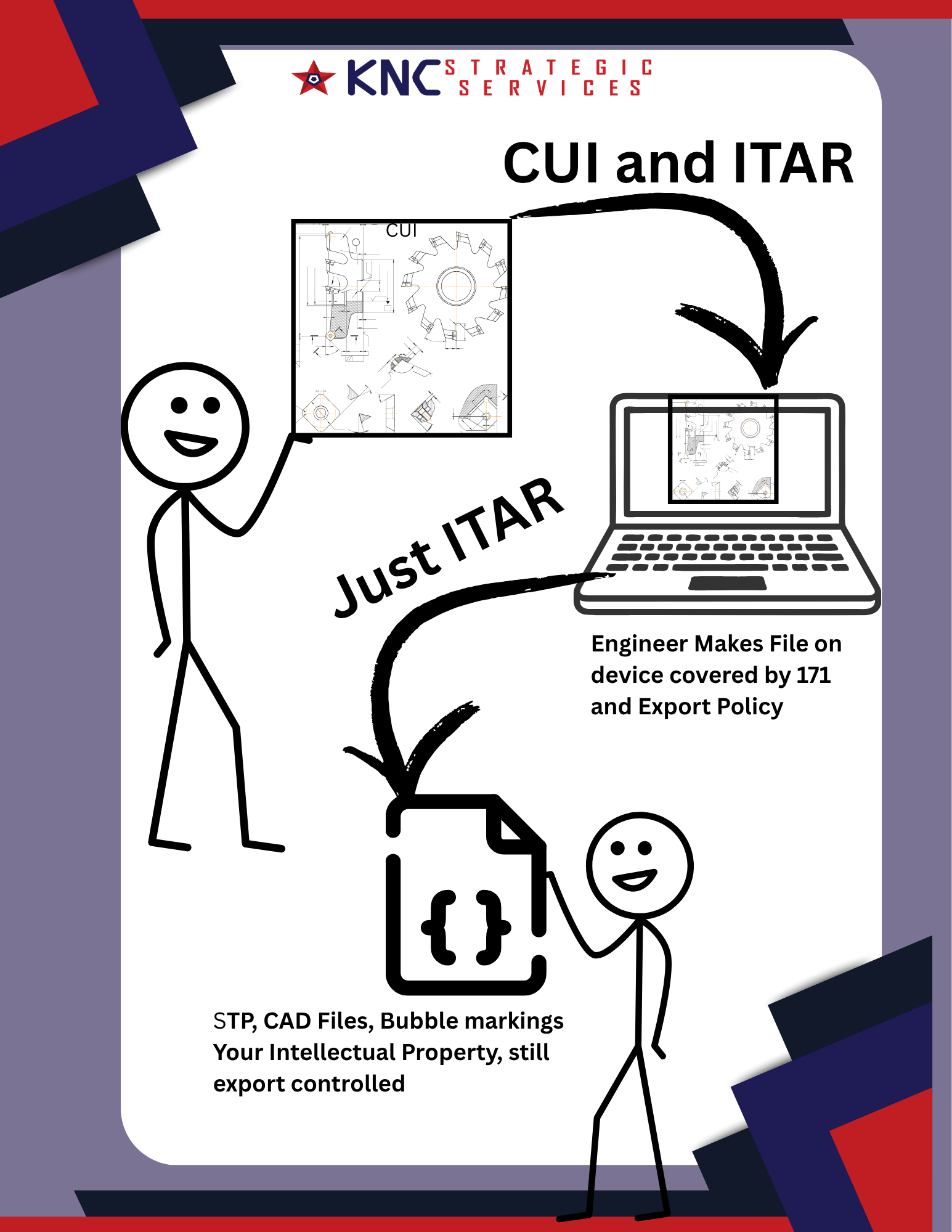
CUI vs ITAR in your shop work flow
-
Creating Role Based Training Programs
When you compare the evolution of NIST-SP-800-171 rev 2 to NIST-SP-800-171 rev 3 you can see the emphasis on training grow. We now focus not just on awareness and training, but on security literacy and awareness. Patching the people has become an even greater priority.
Yet companies can struggle with developing role-bases trainings. Large companies rely on commercial products, but may have workers who can not dedicate time to training. Small companies with one to two people may not understand how you differentiate role based training when you have all the roles.
In NIST-SP-800-171 rev 3 you must:
Provide training before personnel receive access or perform assigned security roles, and repeat training at an organization-defined frequency and following specified changes or events.
Yet companies do not know where to begin with role based training. Many end up providing a compliant solution without thinking deeply on how to patch their people. You have many routes to meeting the role based training requirements
Certifications Required Before Hiring
NIST-SP-800-171 rev 3 requires training before people have access to Controlled unclassified information and the security stackFor companies big and small you can do your role training a priori, or before hiring. You simply require a specific certificate for a role. Say a Security+, CISSP, or specific AWS cloud certifications if that fits your stack.
Then during the course of a year employees must maintain their CEUs based on that certification. If your company utilizes a GCC or GCCH stack you can require employees to have specialized certifications.
For a small organization using Entra, Intune, Defender, and Purview, I would prioritize:
-
SC-900 — Security foundation. Appropriate for management, compliance staff, help desk personnel, and technical personnel who need a common Microsoft security vocabulary.
-
MD-102 — Endpoint administration. Primary credential for personnel administering Intune-managed CUI endpoints, Windows security settings, applications, updates, and Defender for Endpoint.
-
SC-300 — Identity and access. Primary credential for Entra ID, MFA, Conditional Access, access reviews, privileged roles, and account lifecycle management.
-
SC-401 — Information Protection. Appropriate when Purview, DLP, retention, insider risk, or sensitivity labels protect or prevent the mishandling of CUI.
-
SC-200 — Security monitoring and incident response. Appropriate for personnel reviewing Defender XDR alerts, logs, incidents, and threat information.
-
SC-100 — Security architecture. Appropriate for the individual designing or approving the overall Microsoft security architecture and integrating identity, endpoints and GCC or GCCH.
Sponsoring Certification Trainings
Companies do not have to require certifications before someone gets hired. This just helps to to meet requirements that training gets complete before authorized access. For ongoing role based training companies may choose to sponsor employees classes and certification demands
Assigning Required 171 Training Per Role
A micro-business can meet this requirement by relying on content required under NIST-SP-800-171 and assigning it to only specific roles. Have a CUI enclave? Only assign the Mandatory CUI training to inscope users. Need to do Internal threat training? Just have management complete it. Want to address the new incident response training requirements? Assign it to the IR team.
You now have role based training and did not need to create additional content beyond what NIST-SP-800-171 requires.
Annual Conference Attendance
Some companies provide a professional development budget for their staff. This counts as role-based training. Just make sure you have procedures in place to ensure employees select conferences related to your security role.
Contributing to the Knowledge Base
Most companies struggle with documentation and maintaining a knowledge base for their procedures. Editing and maintaining your company docs takes time and skill. Recognize this effort as part of official training. As your IT folks write, or curate AI written procedures, they learn much better than they do with a passive PowerPoint.
You do have to think about the role of AI and how the offboarding of cogntive load impacts using the Knowledge bases as a training device/
Policy Acknowledgements
Having assets read and sign a policy acknowledgement gets used by many small and micro businesses to meet the role based training requirements.
You collect the acknowledgement sheet or have employees sign an electronic form.
Create an Annual Professional Growth Plan
A company can get employees to participate in their role based training. Have a procedure in place where employees must choose annual learning goals and describe the steps they will take. If you have an annual professional development budget developing personal learning plans provides great accountability.
You may already submit a plan for an annual review that can be updated to track self selected role-based training.
Department Meetings
You do not have to sit for a formal training to gather evidence for NIST-SP-800-171 rev 3. Maybe you have department meetings to discuss which alerts should get required reporting. Maybe you host a lunch and learn for all your machinists and review the policy of not putting the USB drive attached to the big ugly stick in your pocket. These scheduled security meetings count as role based training.
The minutes and agendas, combined with a sign in sheet can meet your evidence requirements. Pizza helps with compliance.
Commercial Curriculum
If you utilize a vendor like KnowBe4 or have the learning add-on for Huntress you can create a role based training program. Many vendors include a commercially available training product. If you assign some content to some people and different content to others, you have done role based training.
Your vendor, if you utilize different companies for vulnerability scans, SIEM, EDR, Firewalls, etc., probably have training available to customers, or at least documentation you can use to create lessons. Many vendors offer weekly or monthly webinars assets with security roles can attend.
Just map existing curriculum to your roles.
-
-
Make it Your Plan: Take Back Control of Your POAM
You may toil with a consultant for hours over your System Security Plan. You have probably marked a dozen snakeoil emails as spam after they promised to get plans in place in hours or minutes. But have you ever used your SSP as the document to guide your CUI protection? Have you created a plan that actually helps you get stuff done?
Your plan, for your business, must assist you in planning to do your business, or you have no plan at all. Stop thinking of your Plan of Action & Milestones as a required CMMC compliance document.
Plans take steps to get stuff done. Your POAM describes the steps and sets key milestones to getting that stuff done. It should list who will get that stuff done, and when they will complete the steps to do the stuff.
You do not have to wait until you have a System in place for NIST-800-171 to handle Controlled Unclassified Information. Once you know will engineer a system to protect the confidentiality of CUI start a POAM. Make a punch list. Get it done.
Plan of Action And Milestones
The POAM comes out of NIST-SP-800-53, which NIST designed for federal systems. This means guidance, and AI created templates may not fit the unique needs of your business.
Just think of the POAM as your punch list for getting things done. Directly from NIST-SP-800-53 we get a definition o the Plan of Action and Milestone as:
Control: a. Develop a plan of action and milestones for the system to document the planned remediation actions of the organization to correct weaknesses or deficiencies noted during the assessment of the controls and to reduce or eliminate known vulnerabilities in the system; and
b. Update existing plan of action and milestones [Assignment: organization-defined frequency]based on the findings from control assessments, independent audits or reviews, and continuous monitoring activities.
People may read the first bullet point and think, “Gee the POAM comes after the assessment,” but if you look to the second half you update your existing Plan. Meaning it existed before the assessment
Meaning a POAM does not pop out as some bastard child of a a Gap Analysis, you create a Plan of Action and Milestone when you begin to engineer a system to protect the confidentiality of CUI. That system came into existence when you accepted 7012 flow downs.
Make your list, start getting stuff done. In related controls of -53 NIST goes on to define the POAM process:
PLAN OF ACTION AND MILESTONES PROCESS
Control:
a. Implement a process to ensure that plans of action and milestones for the information security, privacy, and supply chain risk management programs and associated organizational systems:
-
Are developed and maintained;
-
Document the remedial information security, privacy, and supply chain risk management actions to adequately respond to risk to organizational operations and assets, individuals, other organizations, and the Nation; and
-
Are reported in accordance with established reporting requirements.
b. Review plans of action and milestones for consistency with the organizational risk management strategy and organization-wide priorities for risk response actions.
That sounds like a lot for a small business. Remember, NIST wrote 53 for federal systems. In 171 revision three we find:
03.12.02 Plan of Action and Milestones
a. Develop a plan of action and milestones for the system:
- To document the planned remediation actions to correct weaknesses or deficiencies noted during security assessments and
- To reduce or eliminate known system vulnerabilities.
b. Update the existing plan of action and milestones based on the findings from:
- Security assessments,
- Audits or reviews, and
- Continuous monitoring activities.
The important commonality? You make a risk based decision based on your businesses. So many companies try to get a CUI enclave built and they don’t have basic back ups and MFA solved across the commercial enterprise. Those companies, unless facing pressure on a contract or from a Prime, have set the wrong milestones based on risks.
CMMC does not serve as your cybersecurity plan. NIST-SP-800-171 does not give you a cybersecurity framework. You nest how you meet the requirements within your larger security plan. That does not mean you can’t use CMMC and 171 to get better at the basics. If you create a punchlist based on risks, you by nature of thise risks knock out the basics, first, on your way to meeting 320 objectives.
Now let’s say you used this for your punch list to towards CMMC compliance. Would your Plan of Actions and Milestones move you toward the goal?
Item POA&M Action Primary NIST SP 800-171 Rev. 2 Requirement Related Requirements Compliance Considerations 1 Inventory hardware, software, firmware, and other system components. 3.4.1 — Establish and maintain baseline configurations and inventories of organizational systems. — The inventory should include hardware, software, firmware, and relevant documentation within the CUI system boundary. 2 Establish a method for tracking system changes. 3.4.3 — Track, review, approve or disapprove, and log changes to organizational systems. 3.4.4, 3.4.5 A spreadsheet may be sufficient if it records the requested change, security-impact analysis, approval, implementation, testing, and closure. 3 Document where CUI enters, moves through, and leaves the organization. 3.12.4 — Develop, document, and periodically update the System Security Plan. 3.1.3, 3.13.1, 3.13.2 Business-flow, data-flow, and network diagrams should identify the CUI boundary, external connections, internal connections, users, systems, and service providers. 4 Implement and test multifactor authentication. 3.5.3 — Use multifactor authentication for privileged and nonprivileged accounts when required. 3.5.1, 3.5.2 Rev. 2 requires MFA for local and network access to privileged accounts and network access to nonprivileged accounts. Testing should cover every applicable access path. 5 Remove, replace, or protect unsupported and end-of-life systems. 3.14.1 — Identify, report, and correct system flaws in a timely manner. 3.11.3, 3.4.6, 3.4.7 Unsupported products should be upgraded, replaced, removed, isolated, or addressed through documented alternative safeguards. 6 Back up information and test restoration procedures. 3.8.9 — Protect the confidentiality of backup CUI at storage locations. — Rev. 2 does not contain a general backup or restoration-testing requirement. Requirement 3.8.9 applies when backups contain CUI and focuses on protecting their confidentiality. 7 Conduct vulnerability scanning and review the results. 3.11.2 — Scan for vulnerabilities periodically and when new vulnerabilities are identified. 3.11.3 Scanning addresses 3.11.2. Findings must also be prioritized, tracked, and remediated under 3.11.3. 8 Establish a controlled enclave for processing, storing, and transmitting CUI. 3.12.4 — Document the system boundary and security requirement implementation. 3.1.3, 3.13.1, 3.13.2 NIST SP 800-171 does not specifically require a CUI enclave. An enclave is an architectural approach that can reduce scope and support multiple security requirements. 9 Restrict and test access to the CUI enclave. 3.1.1 — Limit system access to authorized users, processes, and devices. 3.1.2, 3.1.3, 3.5.1, 3.5.2, 3.12.1, 3.13.1 Testing should verify authorized users, approved devices, permitted functions, authentication, information-flow restrictions, and boundary protections. 10 Establish rules governing AI use and information sharing. 3.1.3 — Control the flow of CUI in accordance with approved authorizations. 3.1.20, 3.1.22, 3.2.1, 3.2.2 Rev. 2 contains no AI-specific requirement. Policies should prohibit entering CUI into unapproved AI services and should be supported by training, access restrictions, and technical controls. As a small business owner, which Plan of Action will serve you better as a punchlist? You might make more headway with a simplified POAM, like the one in the image, and by the time you complete you would understand the mappings to NIST-SP-800-171 in the second table.
Don’t wait on the POAM. Make your punch list today and do the work. How you get stuff done.
Overtime your POAM will evolve, and it will look more formalized following your Gap Analysis, but never forget the “action” in POAM. The tool lives in situ, not as an artifact. And don’t forget the word Plan in both SSP and POAM. If you don’t find these documents useful to getting stuff done do you really have a plan at all?
Start small and iterate.
-
-
Patching your People with Rev Three ODPs
I don’t have a naughty nature, so I will refrain from ODP puns and discuss how Patching your People through your Security Training program needs to evolve with the transition to NIST-SP-800-177 Rev 3 from Rev 2.
NIST SP 800-171 Revision 3 introduces both theoretical and operational changes to the Awareness and Training family. Over the years the emphasis on training becomes stronger and stronger while we spend more assuming breach and expecting systems have already failed. We know over 80% of breaches begin with your people. Revision three of NIST-SP-800 171 went beyond the general requirements found in Revision 2. Revision 3 replaces the general awareness requirement with security literacy training.
This new theoretical definition seeks to emphasize that personnel must not only complete security information training but must understand and be able to apply foundational security knowledge.
Literacy as Security or GRC = General Reading Comprehension
Scholars and nerds have used the word “literacy” for differentiating applied knowledge and contrasting this with declarative knowledge for a long time. Basically knowing and doing = literacy. Sylvia Scribner in her 1984 piece “Literacy in Three Metaphors" kicked off the trend and argued literacy does not have a single, context-free essence. She analyzed three metaphors:
- Literacy as adaptation — the skills needed to function effectively in everyday life.
- Literacy as power — the capacity to analyze conditions and act upon them.
- Literacy as a state of grace — literacy as intellectual, cultural, or personal development.
The first metaphor finds a home wit compliance and NIST. Under the adaptation model, literacy allows functioning in a particular social and technological environment.
Think about stuff like:
- security literacy
- health literacy
- financial literacy
- scientific literacy;
- information literacy
- digital literacy
In 1999 the National Research Council published, “Being Fluent with Information Technology.” The committee deliberately preferred fluency over basic “computer literacy.” It described information-technology fluency as having three interconnected components:
- contemporary skills — the ability to use current technological tools
- foundational concepts — understanding the enduring principles underlying technology
- intellectual capabilities — the ability to reason about information, manage complexity, solve problems, and adapt knowledge to new situations
The NIST definition included in NIST-SP-800-53, which spawned the revision to 171, best aligns with theoretical constructs similar to Yoram Eshet-Alkalai’s,“Digital Literacy: A Conceptual Framework for Survival Skills in the Digital Era,” which was published in 2004.
Folks would make academic careers writing pieces debating if we really meant technology fluency or literacy (technically my PhD was from the New Literacies Research Lab…we really stretched the metaphor).
Training Roots
The emphasis gets placed on functioning effectively, not possessing declarative knowledge alone. NIST baked this functional definition of security literacy in long-standing awareness-and-training model in SP 800-50 and SP 800-16.The original NIST SP 800-16 (1998) contains a section expressly titled “3.1 Definition and Purpose.” which defines IT security literacy as:
“An individual’s familiarity with—and ability to apply—a core knowledge set…needed to protect electronic information and systems.” definition fits squarely within these broader educational traditions.
It defined IT security literacy as familiarity with and the ability to apply a core knowledge set needed to protect information and systems.The first version of SP 800-50 contained descriptive definitions in Chapter 2, although it did not use “literacy training” as a principal formal term. It distinguishes the learning continuum as following awareness, training, education, and professional development
NIST publication Concept Meaning NIST SP 800-53 Rev. 5 — AT-2 Literacy Training and Awareness Foundational security and privacy learning for system users, delivered initially, recurrently, and when changes or events require it. Users learn why security matters, what actions they must take, and how to respond to suspected incidents. NIST SP 800-50 Rev. 1 — Appendix B Awareness Training The foundational cybersecurity or privacy training program for all personnel. It helps learners understand their role in protecting information, cybersecurity, and privacy-related assets. SP 800-50 Rev. 1 expressly notes that this is called “literacy” training in SP 800-53 Rev. 5. NIST SP 800-16 — Chapters 2–3 Security Basics and Literacy An individual’s familiarity with—and ability to apply—a core knowledge set needed to protect electronic information and systems. Security literacy represents the transition between passive awareness and specialized, role-based training. CyberDI Security Literacy The ability to understand and apply foundational security knowledge so a person can recognize risk, protect information and systems, and take the correct action in context. Literacy in Action
This concept of security literacy training gets operationalized through role based training. This now reflects a more lifecycle approach. Revision 2 required organizations to make managers, system administrators, and users aware of security risks and applicable security requirements; train personnel to perform their assigned security duties and provide awareness training on recognizing and reporting potential insider-threat indicators. Revision 3 incorporates the former standalone insider-threat requirement into this broader literacy requirement rather than eliminating it.
The assessment objectives in NIST-SP-800-171a call for some evidence of measuring a users’ knowledge and identifies continuing awareness activities that reinforce literacy. These can include advisories, login messages, videos, webinars, and other awareness events.The revisions also call for specific content. A training must address the actions users are expected to take to maintain security. Rev 3 includes explicit requirements to train employees to respond to incidents and protect CUI. They must continue, like Rev 2 to recognize and report indicators of insider threats. Revision three does explicitly add social engineering and social mining as required content.
Awareness and Training: CMMC Rev. 2 to Rev. 3 Crosswalk Rev. 2 Requirement Rev. 2 Focus Rev. 3 Requirement Rev. 3 Focus Change 3.2.1 Ensure managers, system administrators, and users understand the security risks associated with their activities and the applicable policies, standards, and procedures. 03.02.01 — Literacy Training and Awareness Provide and periodically update security literacy training. Training includes recognizing and reporting insider threats, social engineering, and social mining. Expands general awareness into recurring security literacy training with defined content, update requirements, and event-driven training. 3.2.2 Ensure personnel are trained to perform their assigned information security duties and responsibilities. 03.02.02 — Role-Based Training Provide training before personnel receive access or perform assigned security roles, and repeat training at an organization-defined frequency and following specified changes or events. Adds explicit timing, frequency, role-based content, and training-update requirements. 3.2.3 Provide security awareness training on recognizing and reporting indicators of insider threat. 03.02.03 — Withdrawn and incorporated into 03.02.01 Insider-threat recognition and reporting are included within Literacy Training and Awareness under 03.02.01. The requirement is retained but consolidated with general security literacy training rather than maintained as a separate requirement. Security Literacy and Organizational Defined Parameters
One of the biggest changes to the training family involves frequencies and triggers. Under Revision 2 an organization assigned frequency and just needed to prove the rules got followed. In Rev 3 the annual requirement remains but specific triggers for content update were added to organizational defined parametersOverall, the change from Revision 2 to Revision 3 moves awareness and training from a relatively static, compliance-oriented activity toward a continuous, role-sensitive learning program. Organizations must now define training frequencies and triggering events, periodically review and update course content, and revise training after events such as system changes, audit findings, incidents, changes in threats, or changes to applicable requirements. The practical expectation is no longer satisfied merely by assigning an annual awareness course and retaining a completion record.
Organizations should be able to demonstrate that training is timely, relevant to their environment and CUI-handling practices, appropriate to each person’s responsibilities, reinforced through continuing awareness activities, and effective in developing the knowledge personnel need to recognize risks and act securely.
NIST SP 800-171 Rev. 2 and NIST SP 800-171 Rev. 3.
NIST SP 800-171 Rev. 3 — 03.02.01 Literacy Training and Awareness ODPs Requirement Objective Organization-Defined Parameter Assigned Value 03.02.01 03.02.01.a.01 Frequency after initial security literacy training Annually 03.02.01 03.02.01.a.02 Events requiring additional security literacy training - Significant changes
- Incidents or breaches
- Legal, regulatory, or contractual changes
- Audit or assessment findings
- Material threat changes
03.02.01 03.02.01.b.01 Frequency for reviewing and updating security literacy training content Annually 03.02.01 03.02.01.b.02 Events requiring security literacy training content updates - Significant changes
- Incidents or breaches
- Legal, regulatory, or contractual changes
- Audit or assessment findings
- Material threat changes
Updating your Security Training Program
If you have a mature Awareness and Training Program for your organization you can easily update for NIST-SP-800-171 rev 3. You need to add new content around social engineering and mining, and update your plans to account for ODP triggers.Need to begin formulating a real security training program beyond the annual video you make staff suffer through?
- Start with your risk assessment. Your employees must get trained on the risks to CUI in your system. You can not develop a compliant training without first conducting a risk assessment
- Identify all the learning objectives you want to cover in your program. I expand beyond the security literacy domain and think about all controls that could benefit from training. For example, take removable media. At a minimum employees should sign an Acceptable Use Policy they understand how to handle removable media. That’s training.
- Then decide which role must demonstrate they met the objective.
- Next map all the training you currently provide* Then crosswalk against the objectives to make sure they all get met* Create any custom content to fill in the holes
- Develop a flexible plan that allows you to deliver just in time awareness training.
Feel free to check out and remix my training matrix.
The list of potential classes in my example aligns more with a mid-size company. You can collapse much of the content into a single learning event. For example you could require specific certs and CEUs for role based training. Your social media mining might get covered in the general training for all employees.
You would delete my row of content and add the current training you require. Mark off what objectives get hit, and then fill in the holes by revising content or making new lessons.
-
Updated the “Is it CUI” decision tree again with feedback from Discord. Added a a contract review step once unmarked files are stored in systems meant for Controlled Unclassified Information.
-
Updated draft of “Is it CUI?” Flowchart.
-
Very early draft of a CUI marking decision tree. Not an export lawyer. Welcome feedback.
-
Draft of Scoping Decision Tree
-
What Goes into Your System Security Plan?
Folks often bemoan compliance or security as paperwork and checkbox exercises, but that misses the point of Document Control. Policies, plans, and procedures exist to ensure your business does work in ways that meet laws and regulations. They also exist to describe how you get the job done and stay profitable. Too often we create these governance tools as an afterthought to prove they exist.
Consider your document control using an AS9100 lens. For those not in Aerospace manufacturing, where ISO 9001 an AS9100 often live, your Policies, Plans, and Procedures dictate how an organization creates, approves, distributes, and retires quality-critical information.
So What Goes into Your System Security Plan?
Your System Security Plan (SSP) must communicate the critical information about how your organization meets the requirements of NIST-SP-800-171.
Most importantly your SSP must provide value to you and your team (which might include just you).
At KNC Strategic Services we break the SSP down into two parts. The front matter, which includes all the diagrams and evidence required by Security Assessment controls and a spreadsheet of implementation statements written at the objective level.
Flavors of an SSP
We often see different types of SSPs. Those that explain procedures in the control statements and those that point to other documentation. Some companies try to do both. Some may define most procedures in their SSP. This really depends on the size of your team and the scope of your environment. A small company utilizing a file share service or a managed enclave might not want to have a ton of documents to manage. A medium or large manufacturer who must meet multiple frameworks might have existing Document Control procedures. They can keep their SSP always in compliance and not need to update it for any procedural change.
Smaller micro businesses may have even less documentation. Remember your System Security Plan serves a plan. You use it as a governing document. A company can include all your definitions, identify controls, and spell out procedures directly in the SSP. In fact a two person company dealing with 14 policies, 14 plans, and umpteen forms and Standard Operating Procedures leaves them less secure. Do they really need a password policy or just spell it out in the SSP?
In the first example when a requirement that has an objective which states you must DEFINE a “thing” you would write, Spacely Sprockets defines X as, “insert definition.” Then in the next objective, “We enforce the thing in our SOP Y "
In the second example when an objective states you must DEFINE a “thing” you would write, " Spacely Sprockets defines X. The definition is maintained in Document Y.” Then in the next objective, “We enforce the thing in our SOP Z "
In the last example when an objectives n the second example when an objective states you must DEFINE a “thing” you would write, " Spacely Sprockets defines X as, “insert definition.” Then in the next objective, “We enforce the thing by doing Y”
Which Flavor is Better
Chocolate, Vanilla, or burnt Wildberry? The choice belongs to you. Many assessors like the ease of having procedures spelled out in the SSP. Many small IT firms like having all the steps they take in one plan. As long as you have a robust traceability matrix how you arrange things in the bowl should not matter.
At KNC Strategic Services we follow the second approach and point to documentation. As a C3PAO DIBCAC does our assessments. Folks who come out of the Government and get trained on 53/RMF often use this model. The Government has a large scope, and don’t exactly meet the definition of small business
Some companies do try and do both. This can get dangerous. Now you have to ensure all your implementation statements match in your policies and procedure and also in your SSP control statement. Document drift presents a compliance risk. Though LLMs, commonly referred to as AI, might mitigate and/or exacerbate this issue.
If your company consists of just you, it can feel odd to send yourself a change request ticket, have yourself evaluate the risk and security implications, get yourself to approve the ticket, update the ticket when the change gets done, then mark the change closed.
Procedures get done by humans, even if written by AI. Keep them useful.
Utilizing AI
You can really harness AI to create documentation and run compliance checks against evidence. Yet you can also burn through tokens and create spreadsheet columns you never fill which become problems come assessment time.
As part of your Document Control you should have spelled out policy on AI policy and procedure generation. You can offload the cognitive task of writing, but not the contractual risk.
AI likes to get wordy. You will create overly complicated procedures not meant for a small business without strong human oversight. You will end up with forms that have a thousand columns. Do let machines invent new workflows. You will not do them.
I have found this system works best for me.
- Have a Policy, Plan, or Procedure template file employees must use in their model. You might add sensitivity labels if the document should not leave your approved AI boundary.
- Create a boundary diagram and a data flow diagram. The more detailed and accurate of an image you provide of system boundaries the better your results.
- Create the Policies, these just describe the regulations you meet and rarely change. Your goal is concise vagueness describing the specific regulations you meet.
- Inventory your Procedures. How do you currently do stuff? Have you written these things down or does it fall in the “Institutional Knowledge Bucket”?
- Upload any documentation from vendors such as SRMs, implementation guides, or installation steps.
- Draft your NIST-SP-800-171a implementation statements.
- Even if you uploaded NIST-SP-800-171a, the CMMC Assessment Procedures, and the Level One and Level Two scoping guides, go one control statement at a time. AI will straight make up objectives and new compliance requirements. Go slow to go fast.
- Create or revise procedures to make sure the implementation statements happen. Do this close to the ground. Procedure must provide value and help get the job done.
- Create a Plan for each Domain Family. Upload any relevant SOPs and the implementation statements. Ask AI to craft a plan
- Delete all the extra kruft you do not need
- Have Plans approved.
You may have your own system, and AI can create governance documents. Agents can keep all this aligned and gather evidence to ensure the SOPs get followed, but they can’t lead. Having document control matters so much more than checking a box for compliance.
You need to create systems that help you do business better.
-
alright @manton still no web ring plug-in…we gotta find a community member to fix that.
-
Policies, Plans, and Procedures, What's the Dif?
In terms of CMMC many organization feel overwhelmed by documentation and do not always understand the distinction between policy, plans, and procedure. Yet we often get lost in the effort to meet compliance requirements and forget that the “G” in GRC stands for governance The documentation your company uses in cybersecurity should be the documentation on HOW you govern your company and thus rely on practices you put in place.
They need to have merit and functionality for your employees.

Policy
Policies provide a formal statement of organizational intent and management direction. In terms of CMMC these policies usually point to a control family and say what requirements you will meet.
NIST describes security policy as defining the objectives and constraints of the security program. It generally answers “what” and “why,” rather than “how,” and is normally written so it is not dependent on a specific technology.
A policy should establish:
- The organization’s security objective.
- Who and what are covered.
- Mandatory requirements.
- Assigned authorities and responsibilities.
- Rules for exceptions and enforcement.
- Review and approval requirements.
The policy establishes the rule, but it does not explain every administrative step for creating an account.
In NIST SP 800-53, many control families begin with a requirement to develop, review, train for and update a family-level policy and procedures. This has translated down into NIST-SP-800-171. People have one policy per control. The policy governs the relevant controls, while the procedures facilitate their implementation.
Plan
A plan translates policy and requirements into an organized implementation approach. They explain who does the what.
Plans are normally broader than procedures. They coordinate:
- People.
- Responsibilities.
- Resources.
- Technology.
- Schedules.
A plan may describe how the organization intends to achieve an outcome, but it usually does not contain steps people take
Your Cybersecurity Program may have some of the following plans
- System Security Plan.
- Security and Privacy Assessment Plan.
- Continuous Monitoring Strategy or Plan.
- Contingency Plan.
- Incident Response Plan.
- Configuration Management Plan.
- Plan of Action and Milestones.
- Security Training Plan.
In your plan you explain the structured process for preparing, categorizing, selecting, implementing, assessing, authorizing, and continuously monitoring security and privacy controls. Plans provide the organized documentation needed to carry out those activities.
For example your Configuration Management Plan might establish:
- The Change Control Board membership.
- Which systems and configuration items are controlled.
- Change categories.
- Approval responsibilities.
- Baseline-management approach.
- Required security-impact analysis.
- Emergency-change process.
- Configuration monitoring and reporting.
- Review cadence.
The plan explains how configuration management gets organized in your organization., but a separate procedure may explain exactly how to submit and approve a change ticket. Some companies, to cut down on total documentation, may combine plans and procedures.
ISO/IEC 27001 does not require every organization to use a document literally titled “Plan.” Instead, it requires appropriate documented information demonstrating that required processes are planned, implemented, controlled, monitored, and improved. So many CMMC companies with previous ISO work may not have the plans found in RMF.
Therefore, under ISO, planning information may appear in different documentation that you can map back to your policies.
Procedure
A procedure explains how personnel perform a specific activity consistently. These documents provide steps people take to enact a plan aligned to your policy,
A good procedure should be sufficiently detailed so a qualified person can perform the activity without inventing the process.
It typically identifies:
- Trigger or frequency.
- Responsible role.
- Required access and tools.
- Inputs or prerequisites.
- Sequential steps.
- Decision points.
- Required approvals.
- Records and evidence produced.
- Escalation conditions.
- Exceptions.
- Completion criteria.
How do they fit?Consider incident response:
Policy
Let us consider incident response. Cybersecurity incidents, regardless if CUI got compromised, must get immediately, investigated, contained, documented, and reported to external authorities when legally or contractually required.
Plan
The Incident Response Plan identifies:
- Incident-response team members.
- Incident categories and severity levels.
- Communication channels.
- Reporting responsibilities.
- External reporting requirements.
- Available technical resources.
- Coordination with legal counsel and service providers. *Testing and exercise schedule.
Procedure
A suspected CUI incident procedure operationalizes the plan for every day users
- How the user reports the event.
- Who opens the incident ticket.
- How the device is isolated.
- How logs and forensic images are preserved.
- Who determines whether CUI or covered defense information was involved.
- How the 72-hour DFARS reporting deadline is tracked.
- Who submits the report.
Overall a document should not be classified solely by its title. Its function and content determine what it it acts as a policy, plan, or procedure. A Plan could have many documents. Procedures can get used to meet the requirement of numerous policies. A document called a “policy” that contains only step-by-step instructions is operationally a procedure, while a document called a “procedure” that only states executive requirements may actually be functioning as policy.
work cited: complianceforge.com/start-her…
-
Building for the Future: Utilizing Rev 3 ODPs in your Rev 2 Assessment Scope
Do all NIST-SP-800-171 requirements need continuous monitoring? Which ones are annual? Which controls are monthly? Weekly?
Right now an organization seeking CMMC certification can decide on which requirements get met by controls that need a defined cadence. As you make these decision you might want to look ahead to the future.
NIST SP 800-171 Revision 3 introduced organization-defined parameters, or ODPs, that require organizations to define specific values such as logging events, review frequencies, remediation timelines, and incident reporting triggers. While your CMMC Assessment scope is based on NIST SP 800-171 Revision 2, you can utilize the ODPs to start preparing for a future state.
The Department of Defense memorandum on Organization-Defined Parameters for NIST SP 800-171 Revision 3 states that DoD has defined the organization-defined paramater values as policy in preparation for implementing NIST SP 800-171 Revision 3 as the minimum requirement for contractors. In Rev 2 contractors had more flexibility to define ODPs. They acted more as placeholders to be filled in by each contractor without a common baseline. In Rev 3, these ODP values provide default policy expectations for how frequently certain security activities occur, what events must be logged, how quickly issues must be reported, and how vulnerabilities must be remediated.
Starting with Auditing and Incident Response requirements provides a great launching point to begin transitioning to NIST-SP-800-171 rev 3.
Skip ahead to the Goodies
1. Audit logging ODPs
The audit logging ODPs define what must be logged, how often the logging event set must be reviewed, how quickly audit logging failures must be addressed, how often logs must be reviewed, and timestamp precision..
Topic Requirement ODP Identifier Assignment Text DoD ODP Value Event logging 3.3.1 Event Logging 03.03.01.a Organization-defined event types At a minimum and where applicable: authentication events; security-relevant file and object events; exports/writes/downloads to digital media; imports/uploads from digital media; user and group management events; privileged/special rights events; admin or root-level access; privilege/role escalation; audit and security-relevant log data access; system reboot/restart/shutdown; print to device; print to file; and application initialization. Event logging review 3.3.1 Event Logging 03.03.01.b Organization-defined frequency At least every 12 months and after any significant incidents or significant changes to risks. Audit logging process failure 3.3.4 Audit Logging Process Failure 03.03.04.a Organization-defined time period Near real time or as soon as practicable upon discovery. Audit logging process failure response 3.3.4 Audit Logging Process Failure 03.03.04.b Organization-defined additional actions Document the failure and resolution; troubleshoot; repair/restart the audit logging process; and report as an incident if applicable. Audit record review and analysis 3.3.5 Audit Record Review and Analysis 03.03.05.a Organization-defined frequency At least weekly. Audit timestamp precision 3.3.7 Time Stamps for Audit Records 03.03.07.b Organization-defined granularity of time measurement A granularity of one second or smaller. Related audit/logging ODPs outside the Audit family
Several ODPs outside the Audit and Accountability family still affect logging governance. These are useful for SSP cross-references and evidence planning.
Topic Requirement ODP Identifier DoD ODP Value Security functions involving audit settings 3.1.5 System Access Authorization 03.01.05.b.01 Security functions include, at a minimum and if applicable, configuring settings for events to be audited and managing audit information. Security-relevant information involving audit data 3.1.5 System Access Authorization 03.01.05.b.02 Security-relevant information includes, at a minimum and if applicable, audit information. Physical access log review 3.10.2 Physical Access Monitoring and Review 03.10.02.b.01 Review physical access logs at least every 45 days. Physical access log event-based review 3.10.2 Physical Access Monitoring and Review 03.10.02.b.02 Review physical access logs upon significant, novel incidents, or significant changes to risks. 2. Vulnerability scanning and vulnerability management ODPs
The vulnerability management ODPs establish a minimum cadence for vulnerability monitoring and scanning, define remediation timelines by risk level, and require scan content to be updated shortly before scans run.
Topic Requirement ODP Identifier Assignment Text DoD ODP Value Vulnerability monitoring and scanning frequency 3.11.2 System Vulnerability Management 03.11.02.a Organization-defined frequency At least monthly, or when there are significant incidents or significant changes to risks. Vulnerability remediation timelines 3.11.2 System Vulnerability Management 03.11.02.b Organization-defined response times 30 days from discovery for high-risk vulnerabilities, including critical and high; 90 days from discovery for moderate-risk vulnerabilities; and 180 days from discovery for low-risk vulnerabilities. Vulnerability scan content update 3.11.2 System Vulnerability Management 03.11.02.c Organization-defined frequency No more than 24 hours prior to running the scans. Related vulnerability ODPs outside 3.11.2
These additional ODPs are not limited to vulnerability scanning, but they directly support vulnerability governance, flaw remediation, or supply-chain vulnerability disclosure.
Topic Requirement ODP Identifier DoD ODP Value Security functions involving vulnerability scanning 3.1.5 System Access Authorization 03.01.05.b.01 Security functions include establishing vulnerability scanning parameters. Security-relevant vulnerability information 3.1.5 System Access Authorization 03.01.05.b.02 Security-relevant information includes threat and vulnerability information. Network scanning tools for least functionality 3.4.6 System Configuration 03.04.06.b Guidance states organizations should employ network scanning tools, intrusion detection and prevention systems, and endpoint protection technologies to identify and prevent prohibited functions, protocols, ports, and services. System flaw remediation 3.14.1 System Flaw Remediation 03.14.01.b Install security-relevant software and firmware updates within 30 days for high-risk flaws, 90 days for moderate-risk flaws, and 180 days for low-risk flaws. Supply chain vulnerability disclosure 3.17.3 Supply Chain Security Requirements 03.17.03.b At a minimum, establish processes to ensure suppliers disclose significant vulnerabilities and significant incidents. 3. Incident response ODPs
The incident response ODPs define the speed of internal reporting, who receives incident information, how often incident response capabilities are tested, and when incident response training must occur.
Topic Requirement ODP Identifier Assignment Text DoD ODP Value Incident reporting timeframe 3.6.2 Incident Tracking and Reporting 03.06.02.b Organization-defined time period Near real time or as soon as practicable upon discovery. Incident reporting authorities 3.6.2 Incident Tracking and Reporting 03.06.02.c Organization-defined authorities All applicable personnel and entities as specified by the contract, and in accordance with any incident response plan notification procedures. Incident response testing frequency 3.6.3 Incident Response Testing 03.06.03 Organization-defined frequency At least every 12 months. Initial incident response training timeframe 3.6.4 Incident Response Training 03.06.04.a.01 Organization-defined time period 10 days for privileged users; 30 days for all other roles. Recurring incident response training frequency 3.6.4 Incident Response Training 03.06.04.a.03 Organization-defined frequency At least every 12 months. Incident response training content review 3.6.4 Incident Response Training 03.06.04.b.01 Organization-defined frequency At least every 12 months. Incident-triggered IR training content update 3.6.4 Incident Response Training 03.06.04.b.02 Organization-defined events Significant, novel incidents, or significant changes to risks. Related incident-triggered ODPs outside the IR family
Rev. 3 uses incidents and risk changes as triggers across multiple families. These related ODPs are important because an incident may require more than containment and reporting; it may also trigger reassessment, retraining, reconfiguration, rescreening, documentation updates, and supplier follow-up.
Topic Requirement ODP Identifier DoD ODP Value Security literacy training triggered by incidents 3.2.1 Security Literacy Training 03.02.01.a.02 Significant, novel incidents, or significant changes to risks. Security literacy content update triggered by incidents 3.2.1 Security Literacy Training 03.02.01.b.02 Significant, novel incidents, or significant changes to risks. Role-based training triggered by incidents 3.2.2 Role-Based Security Training 03.02.02.a.02 Significant, novel incidents, or significant changes to risks. Role-based training content update triggered by incidents 3.2.2 Role-Based Security Training 03.02.02.b.02 Significant, novel incidents, or significant changes to risks. Audit logging failure may become incident 3.3.4 Audit Logging Process Failure 03.03.04.b Report as an incident if applicable. Baseline configuration update after incidents 3.4.1 Baseline Configuration 03.04.01.b At least every 12 months and after any significant incidents or significant changes occur. System configuration review after incidents 3.4.6 System Configuration 03.04.06.c At least every 12 months, when system functions/ports/protocols/services change, and after significant incidents or significant changes to risks. Authenticator change after incident 3.5.12 Authenticator Management 03.05.12.e.02 After a relevant security incident or any evidence of compromise or loss. Personnel rescreening after incident 3.9.1 Screening and Rescreening 03.09.01.b Rescreen when there is a significant incident or change in status related to an individual. Physical access log review after incident 3.10.2 Physical Access Monitoring and Review 03.10.02.b.02 Significant, novel incidents, or significant changes to risks. Risk assessment update after incident 3.11.1 Risk Assessment 03.11.01.b At least every 12 months, or when there are significant incidents or significant changes to risks. Vulnerability scan after incident 3.11.2 System Vulnerability Management 03.11.02.a At least monthly, or when there are significant incidents or significant changes to risks. Security requirements assessment after incident 3.12.1 Security Requirements Assessment 03.12.01 At least every 12 months, or when there are significant incidents or significant changes to risks. Policy and procedure review after incident 3.15.1 Policy and Procedure Development 03.15.01.b At least every 12 months, or when there are significant incidents or significant changes to risks. SSP review after incident 3.15.2 System Security Plan 03.15.02.b At least every 12 months, or when there are significant incidents or significant changes to risks. Rules of behavior review after incident 3.15.3 Rules of Behavior 03.15.03.d At least every 12 months, or when there are significant incidents or significant changes to risks. SCRM plan review after incident 3.17.1 Supply Chain Risk Management Plan 03.17.01.b At least every 12 months, or when there are significant incidents or significant changes to risks. Supplier incident disclosure 3.17.3 Supply Chain Security Requirements 03.17.03.b Suppliers must disclose significant vulnerabilities and significant incidents. Integrating Rev 3 ODPs into Rev 2 assessments
The biggest implementation mistake is treating ODPs as one-time text entries in an SSP. These values should become operational requirements that appear consistently across policies, SOPs, ticketing workflows, reporting templates, technical configurations, and evidence repositories. When writing an SSP for a Rev 2 assessment you need to define your procedures. By setting your time frames to Rev 3 you begin to future proof your scope for updates to CMMC.
Implementation sequence:- Update policies first. Insert DoD ODP values into audit logging, vulnerability management, incident response, training, configuration management, and risk assessment policies.
- Update procedures second. Convert each ODP value into a step, trigger, review cadence, escalation point, or evidence requirement.
- Map tools to each value. Identify where the value is enforced or evidenced, such as SIEM queries, audit logs, vulnerability scan reports, EDR alerts, IR tickets, training records, or SSP review logs.
- Align evidence collection. Create recurring evidence tasks for weekly audit review, monthly vulnerability scanning, annual IR testing, annual policy reviews, and event-driven updates after significant incidents or risk changes.
- Close the loop after incidents. Treat significant incidents as triggers for training updates, vulnerability scans, risk assessments, configuration reviews, SSP updates, and policy/procedure reviews.
-
-
MAM versus MDM: Data and Device Protections
A lot of organization who rely on Mobile Device Management are starting to understand the risks of Bring Your Own Device.
Watching the Stryker Incident where Intune erased personal devices managed by employers has put the issue in stark contrast.
Mobile Device Management is not enough to secure data.
Mobile Device Management (MDM) and Mobile Application Management (MAM) are both enterprise tools used in mobile security controls.
They operate at different layers of data flows. In environments subject to NIST SP 800-171, both MDM and MAM get used to control how mobile devices and apps access sensitive data.
MDM allows administrators to configure, monitor, and secure the entire device, including OS settings, encryption, and remote wipe capabilities.
MAM focuses only on enterprise apps and the business data inside them, using app-level policies like restricting copy/paste or wiping corporate data from an app.
You need to protect the device and the data.
In NIST 800-171 environments, the key requirement for data is cryptography protecting CUI must use FIPS-validated cryptographic modules. When vendors claim “FIPS MAM,” they mean their app container uses FIPS-validated libraries. The MAM isn’t itself “FIPS.”
So with Microsoft Intune MAM App Protection Policies, your container involves App-level MAM policies and SDK/app wrapping. This uses FIPS-validated modules from the OS. When devices run in FIPS mode, Intune apps inherit those modules.
First descope BYOD. If you can’t remember:
MDM = device trust MAM = data protection
You need both.
-
Big Announcement
The DIB CS Program is OPEN for new companies. The outreach and onboarding functions have transitioned to DC3.
DIB Companies, with or without an FCL, working with CUI, can apply at DC3.DIB.CSRegistration@us.af.mil
-
CyberDI's Customizable CMMC and Export Control Curriculum
Proud to Announce CyberDI’s Awareness and Training Programs to meet your CMMC requirements and improving a culture of security
CyberDI Awareness and Training Program
-
CMMC Tool Sets
-
CMMC, Backups, and FedRAMP
Why do back ups live in the Media Protection family?
Ransomware threatens your business everyday, and backups help to inoculate your systems. Why do back ups get such a small mention in NIST.SP.800-171r2?
NIST explains in NIST-SP-800-171r2 they pulled “CP-9, System Backup” into the Media Protection family because the Contingency Planning family did not get included in 800-171’s requirement set.
The Government does not care about your disaster recovery and contingency planning. NIST-SP-800-17 protects the confidentiality of the customer’s data, not keep your business afloat.
Backups and CUI
CUI still is designated as CUI even when encrypted. Encryption, when it is a FIPS Validated implementation, is sufficient protection of the CUI when outside of the organizations physical or digital control boundaries.
resource: dodcio.defense.gov/Portals/0…
-Q8. Is encrypted CUI still considered to be CUI? B-A8. In accordance with 32 CFR Part 2002, CUI remains controlled until it is formally decontrolled. As such, encrypted CUI data retains the control designation given to the plain text counterpart. While it is true that certain risks (e.g., transmission across unsecured, "common carrier" networks) may be accepted for cipher text that would not be accepted for plain text, this does not mean the original, controlled information, nor the data (plain or cipher text) representing it, is considered decontrolled.
171 Requirements
Only one requirement explicitly mentions backups, “3.8.9 — Protect the confidentiality of backup CUI at storage locations.”
Organizations can reply on FIPS encryption and employ cryptographic mechanisms or alternative physical controls to protect the confidentiality of backup information if the backups store, process, or transmit CUI.
NIST guidance calls our protecting system level and and user information. “Backed-up information containing CUI may include system-level information and user-level information. System-level information includes system-state information, operating system software, application software,and licenses. User-level information includes information other than system-level information.”
171 Requirements about securing media used for backups
While only one explicit requirement for protecting back up exists. Other 171 apply to the media you use for backups.
-
3.8.1 — Protect system media containing CUI (paper and digital).
-
3.8.2 — Limit access to CUI on system media to authorized users.
-
3.8.3 — Sanitize or destroy media containing CUI before disposal or reuse.
-
3.8.4 — Mark media containing CUI with appropriate markings.
-
3.8.5 — Control access/accountability for media during transport outside controlled areas.
-
3.8.6 — Use cryptographic mechanisms to protect CUI on digital media during transport (unless physically safeguarded).
-
3.8.7 — Control the use of removable media on system components.
-
3.8.8 — Prohibit portable storage devices with no identifiable owner.
171 Requirements for securing back up data
Other security requirements require you to protect the data often contained in a back up
3.13.8 — Protect CUI from unauthorized disclosure during transmission
3.13.10 — Establish and manage cryptographic keys
3.13.11 — Use FIPS-validated cryptography when protecting CUI confidentiality
3.13.16 — Protect the confidentiality of CUI at rest
Scoping Your Backups
For a CMMC assessment you only need to worry about backing up your CUI environments. You 100% as a business should have disaster recovery and contingency plans. Well deployed and tested backup systems prevent ransomware. Outside of MFA, investing in backups provides some of the greatest security for a company.
Do you use cloud back ups? If you deploy cloud back ups, and these include CUI environments do you need to choose a FedRAMP authorized or equivalent service? Is a cloud back up provider outside of your boundary control? Can you then encrypt backups and store that cipher text at rest?
For most CUI, if you encrypt your backups with validated FIPS encryption before going to the cloud that is sufficient. No FedRAMP needed. But…for Specified CUI like ITAR/Export controlled, there are some restrictions on what clouds or countries it can be stored in, even in encrypted form. Vendors may require you to choose their FedRAMP solution regardless of your data sovereignty requirements.
Choosing a FedRAMP authorized solution usually have much higher costs. Many cloud providers do not offer a FedRAMP service, but they may license software to run on prem.
Can you segment off your CUI backups? Many vendors include backup as part of their product solution. Maybe you have a cloud backup solution for out of boundary assets and a different solution for your CUI enclave.
You have alternatives to using FedRAMP cloud based solutions. Just make sure to properly scope your backups of CUI environments, but choosing FedRAMP authorized cloud back ups will be accepted by an assessor.
Back Up Best Practices
Just because CMMC does not require a back up or contingency plan you may want to take the opportunity to ensure you follow best practices.
You need to develop a back up policy:
You need to develop a back up plan:
Utilize a 3-2-1 Back Up solution
Consider the implications of Cloud Back Ups
Make sure to protect your chosen Media types
You need to protect your backups
Finally you need to test your back ups
Creating Disaster Recovery and Contigency Plans
You do not need to worry about disaster recovery for CMMC compliance. You do, however, need to worry about good back ups if you care about the security of company. Utilize the momentum of CMMC to develop and test your disaster recovery. As you do document evidence for your System Security Plan
-
subscribe via RSS